
Control PlanCP-11Supply Chain Isolation
Proposed Control Plan. Subject to technical and publication approval.
One supplier compromised. How far into your environment could it reach?
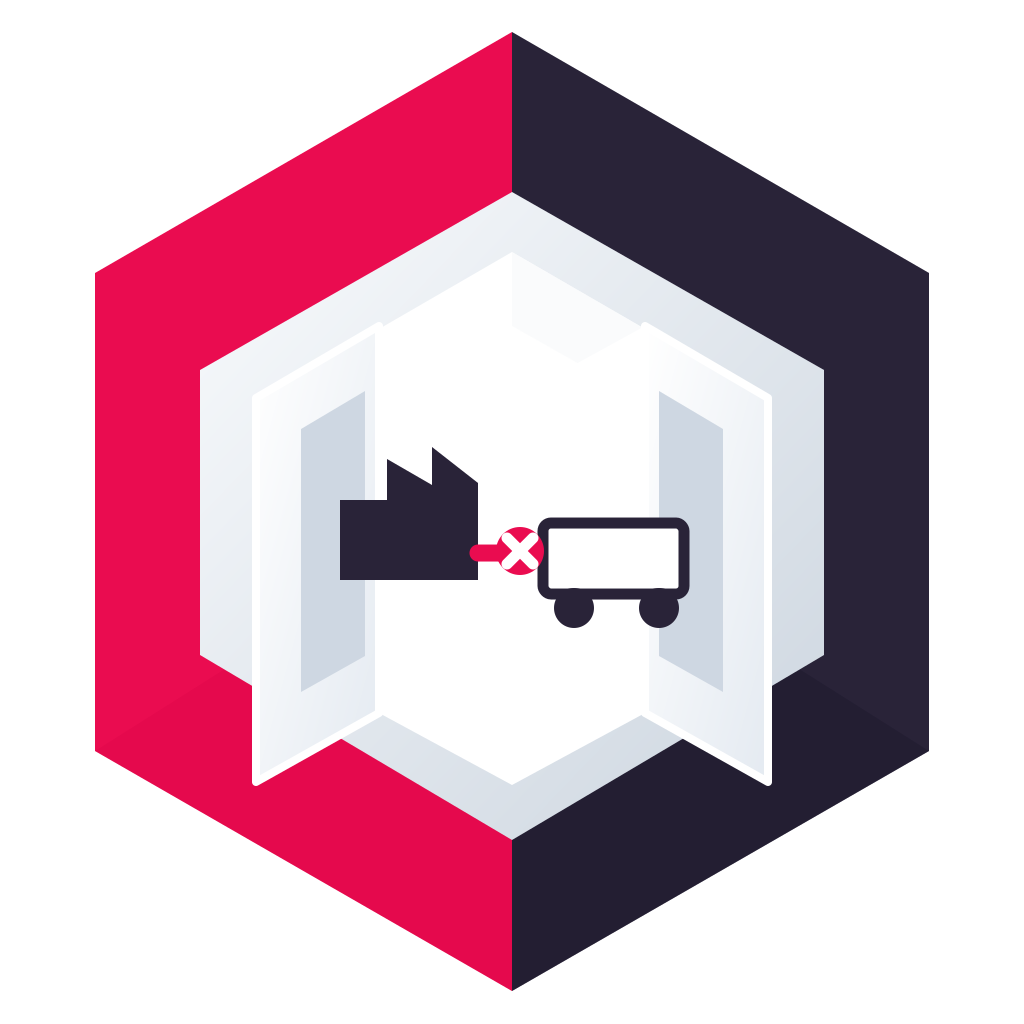
Keep supplier networks separate from your own environment.
- Plan
- CP-11
- Purpose
- Supply Chain Isolation
- Selected connections
- 8
- Modules
- Fracture · Isolate · Relay · Execute · Validate · Lock
- Scope
- Supplier support, partner integrations and physical crossings into internal services.
What is at stake
Why supply chain isolation matters.
Trust in a partner is not a reason to leave every network crossing available.
The problem today
Where you are IP connected today.
CP-11 reviews eight IP-connected paths in your business. While a path stays connected over IP, it is a route that can be reached, misused or exploited. Each path below carries its own risk to agree with its owner.
- Risk 1Supplier crossing
Supplier support network to the engagement zone, including every redundant physical member.
Whenever this path is open over IP, it is a route that can be reached, misused or exploited.
Agreed state: Disconnected by default
- Risk 2Partner remote entry
Remote access gateway to the supplier-facing zone.
Whenever this path is open over IP, it is a route that can be reached, misused or exploited.
Agreed state: Disconnected by default
- Risk 3Support management path
Engagement zone to approved internal management interfaces.
Whenever this path is open over IP, it is a route that can be reached, misused or exploited.
Agreed state: Disconnected by default
- Risk 4Internal service crossing
Engagement zone to the internal services needed for the agreed work.
Whenever this path is open over IP, it is a route that can be reached, misused or exploited.
Agreed state: State subject to dependency review
- Risk 5Partner integration path
Partner integration gateway to the agreed internal endpoint.
Whenever this path is open over IP, it is a route that can be reached, misused or exploited.
Agreed state: Disconnected by default
- Risk 6Secondary supplier route
Alternative supplier circuit or site link, including failover.
Whenever this path is open over IP, it is a route that can be reached, misused or exploited.
Agreed state: Disconnected by default
- Risk 7Operational support conduit
Supplier-facing zone to operational support interfaces, where present.
Whenever this path is open over IP, it is a route that can be reached, misused or exploited.
Agreed state: Disconnected by default
- Risk 8Shared supplier hub
Aggregated supplier connectivity serving several internal service owners.
Whenever this path is open over IP, it is a route that can be reached, misused or exploited.
Agreed state: State subject to dependency review
Matching industry Blueprints
What Firevault changes
What changes with this Plan.
Keep supplier networks separate from your own environment, with only the crossings needed for an approved engagement.
| Connection | Agreed normal state | Control action |
|---|---|---|
| Supplier crossing | Disconnected by default | Validate checks the request; Relay bounds the window; Isolate groups all supplier entry conduits. |
| Partner remote entry | Disconnected by default | Lock holds access behind supplier identity, role and policy; Fracture withdraws the gateway link on approval. |
| Support management path | Disconnected by default | Relay bounds approved support access; Execute applies the authorised closure through Fracture. |
| Internal service crossing | State subject to dependency review | Fracture withdraws the service crossing; Execute applies the service-owner decision. |
| Partner integration path | Disconnected by default | Relay bounds approved transfers; Fracture closes the defined integration connection. |
| Secondary supplier route | Disconnected by default | Isolate includes the alternate supplier conduit in the same suspension group. |
| Operational support conduit | Disconnected by default | Validate checks joint authority; Execute applies the approved Fracture action. |
| Shared supplier hub | State subject to dependency review | Validate checks joint approval; Isolate groups the hub connections agreed in the register. |
Threat detection, identity remediation, cloud-only routes and unregistered alternate connectivity.
Control in Action
Supply Chain Isolation: see the selected path change.
Keep supplier networks separate from your own environment, with only the crossings needed for an approved engagement.
Control in Action
Stage
Before agreed physical control
Trust in a partner is not a reason to leave every network crossing available.Connected routes require review. Discovery checks your real dependencies.
Physical crossings
- Supplier crossingAlways connected
- Partner remote entryAlways connected
- Support management pathAlways connected
- Internal service crossingAlways connected
- Recovery access (OSS)Not in place
- FBFracture · Review the purpose and ownership of each selected connection.
Illustrative selected connections, not an approved deployment. Agree service dependencies and authorised actions before implementation. This illustration does not predict attack reach or service availability. Offline Secure Storage® remains separate.
The modules involved
The Control modules behind this Plan.
In CP-11: Check the supplier, purpose and approving owner. In CP-11: Limit connectivity to the approved engagement. In CP-11: Separate the supplier-facing environment from internal services.
CP-11Supply Chain Isolation
This Control Plan
Keep supplier networks separate from your own environment, with only the crossings needed for an approved engagement.
Primary modules: Fracture, Isolate, Relay, Execute, Validate and Lock.
Read the operational detailModule in this plan

Fracture
Physically disconnects network paths to prevent unauthorised access, contain threats and stop an attack from progressing.
Physically disconnects network paths to prevent unauthorised access, contain threats and stop an attack from progressing.
Explore the Fracture moduleConcept illustration. Select any module to see what it does. Placement is drawn from your own network in discovery.
Control Plans that work alongside CP-11
 CP-10Executive OverrideAuthorised senior intervention that withdraws predefined connections.Open CP-10
 CP-12 · ProposedPrivileged Access ControlAdministrator access through a controlled network entry point.Open CP-12
 CP-09Controlled Data TransferA controlled exchange path between two separate environments.Open CP-09
As featured in
'%3e%3cpath%20fill='%23E40784'%20d='M141.363%2026.6a5.905%205.905%200%200%201-5.899-5.9%205.905%205.905%200%200%201%205.899-5.895%205.901%205.901%200%200%201%205.895%205.895%205.9%205.9%200%200%201-5.895%205.9Zm0-8.347a2.448%202.448%200%200%200%200%204.895%202.449%202.449%200%200%200%202.447-2.448%202.449%202.449%200%200%200-2.447-2.447ZM141.363%200c-.821%200-1.638.052-2.447.144v3.731a16.897%2016.897%200%200%201%202.447-.177c9.373%200%2017.002%207.626%2017.002%2017.002%200%20.825-.063%201.642-.177%202.448h3.732c.095-.81.143-1.627.143-2.448%200-11.411-9.285-20.7-20.7-20.7Z'/%3e%3cpath%20fill='%23E40784'%20d='M141.363%207.268c-.825%200-1.645.077-2.447.228v3.787a9.733%209.733%200%200%201%202.447-.313c5.369%200%209.734%204.368%209.734%209.734%200%20.832-.107%201.652-.313%202.447h3.783c.151-.802.228-1.623.228-2.447.004-7.412-6.024-13.436-13.432-13.436Z'/%3e%3cpath%20fill='%23fff'%20d='M71.382%207.537h-2.84a5.82%205.82%200%200%200-5.815%205.818v9.785h4.037v-9.789a1.78%201.78%200%200%201%201.777-1.777h2.841V7.537ZM80.539%2019.1a3.787%203.787%200%200%201-3.783-3.784%203.787%203.787%200%200%201%203.783-3.783%203.787%203.787%200%200%201%203.783%203.784%203.787%203.787%200%200%201-3.783%203.783Zm0-11.6c-4.313%200-7.82%203.507-7.82%207.82%200%204.313%203.507%207.82%207.82%207.82%201.372%200%202.66-.357%203.78-.982v.982h4.036V15.32c.004-4.313-3.503-7.82-7.816-7.82ZM41.806%2018.71a5.512%205.512%200%200%201-4.34%202.1%205.55%205.55%200%200%201-5.541-5.541%205.55%205.55%200%200%201%205.542-5.543c1.696%200%203.279.766%204.339%202.102l.088.114%201.656-1.656-.077-.092a7.865%207.865%200%200%200-6.01-2.797c-4.339%200-7.871%203.533-7.871%207.872s3.532%207.871%207.871%207.871a7.865%207.865%200%200%200%206.01-2.797l.077-.091-1.656-1.656-.088.113ZM19.479%207.397c-4.34%200-7.872%203.53-7.872%207.872%200%204.342%203.533%207.871%207.872%207.871a7.883%207.883%200%200%200%207.205-4.71l.081-.18H24.15l-.037.058a5.543%205.543%200%200%201-10.05-1.873h13.2l.015-.11c.048-.357.073-.714.073-1.053%200-4.346-3.529-7.875-7.871-7.875Zm-5.417%206.705a5.54%205.54%200%200%201%205.417-4.376%205.54%205.54%200%200%201%205.417%204.376H14.06ZM46.192%2023.14h2.33v-8.847a4.599%204.599%200%200%201%204.593-4.592%204.599%204.599%200%200%201%204.592%204.592v8.844h2.33v-9.149h-.008a6.887%206.887%200%200%200-2.082-4.648%206.89%206.89%200%200%200-4.832-1.972%206.863%206.863%200%200%200-4.593%201.751V.545h-2.33V23.14ZM2.686%207.393H0v2.33h2.686v8.471a4.944%204.944%200%200%200%204.94%204.939h2.435v-2.33H7.625a2.613%202.613%200%200%201-2.609-2.612V9.726h3.772v-2.33H5.016V1.84h-2.33v5.553ZM101.968%208.457a7.721%207.721%200%200%200-2.547-.858c-.088-.014-.177-.03-.265-.04-.1-.011-.199-.022-.302-.03a9.993%209.993%200%200%200-.574-.029c-.022%200-.04-.004-.062-.004h-.037c-4.313%200-7.82%203.507-7.82%207.82%200%204.313%203.507%207.82%207.82%207.82h.037c.25%200%20.496-.014.743-.04l.037-.003a7.742%207.742%200%200%200%203.003-.939v.979h4.037L106.005.537h-4.037v7.92Zm0%206.863a3.788%203.788%200%200%201-3.769%203.78%203.786%203.786%200%200%201-3.76-3.78c0-2.08%201.688-3.772%203.764-3.78a3.787%203.787%200%200%201%203.765%203.78ZM119.75%2023.11h4.037V15.299c-.011-4.302-3.515-7.798-7.82-7.798-4.313%200-7.821%203.507-7.821%207.82%200%204.313%203.508%207.82%207.821%207.82%201.372%200%202.66-.357%203.783-.982v.953Zm-3.783-4.01a3.786%203.786%200%200%201-3.783-3.784%203.786%203.786%200%200%201%203.783-3.783%203.79%203.79%200%200%201%203.783%203.78v.003a3.787%203.787%200%200%201-3.783%203.784ZM132.273%207.5a5.824%205.824%200%200%200-5.818%205.818v9.822h4.037v-9.822a1.78%201.78%200%200%201%201.777-1.777h2.841V7.5h-2.837ZM173.736%2020.807a5.534%205.534%200%200%201-5.527-5.527%205.534%205.534%200%200%201%205.527-5.528%205.535%205.535%200%200%201%205.528%205.528%205.535%205.535%200%200%201-5.528%205.527Zm0-13.399a7.852%207.852%200%200%200-5.527%202.274V7.393h-2.344V30h2.344v-9.127a7.836%207.836%200%200%200%205.527%202.275c4.339%200%207.872-3.533%207.872-7.872s-3.533-7.868-7.872-7.868ZM186.735%2023.14h-2.385v-9.81a5.84%205.84%200%200%201%205.833-5.834h2.848v2.385h-2.848a3.45%203.45%200%200%200-3.448%203.448v9.811ZM202.813%209.774a5.535%205.535%200%200%200-5.528%205.528%205.535%205.535%200%200%200%205.528%205.527%205.534%205.534%200%200%200%205.527-5.527%205.534%205.534%200%200%200-5.527-5.528Zm0%2013.4c-4.339%200-7.872-3.533-7.872-7.872%200-4.34%203.533-7.872%207.872-7.872s7.872%203.53%207.872%207.872c0%204.339-3.533%207.871-7.872%207.871Z'/%3e%3c/g%3e%3cdefs%3e%3cclipPath%20id='a'%3e%3cpath%20fill='%23fff'%20d='M0%200h210.68v30H0z'/%3e%3c/clipPath%3e%3c/defs%3e%3c/svg%3e)




The Control Plan specification
Each selected connection, written down.
Keep supplier networks separate from your own environment, with only the crossings needed for an approved engagement.
Supplier crossingSupplier support network to the engagement zone, including every redundant physical member.Disconnected by default
- Normal state
- Disconnected by default
- Authorisation
- Tier 1 · Validated engagement expires or a named owner suspends the supplier connection.
- Module action
- Validate checks the request; Relay bounds the window; Isolate groups all supplier entry conduits.
- Business effect
- Supplier entry pauses; internal production traffic must not depend on this link.
- Failure behaviour
- Designed to fail disconnected; confirm safe behaviour and test power loss and faults.
Partner remote entryRemote access gateway to the supplier-facing zone.Disconnected by default
- Normal state
- Disconnected by default
- Authorisation
- Tier 2 · Gateway compromise or disputed remote access requires the supplier owner to suspend entry.
- Module action
- Lock holds access behind supplier identity, role and policy; Fracture withdraws the gateway link on approval.
- Business effect
- Remote supplier sessions lose connectivity; local engagement work may continue.
- Failure behaviour
- Designed to fail disconnected; confirm safe behaviour and test power loss and faults.
Support management pathEngagement zone to approved internal management interfaces.Disconnected by default
- Normal state
- Disconnected by default
- Authorisation
- Tier 1 · Support task completes, authority is withdrawn or the approved suspension rule is met.
- Module action
- Relay bounds approved support access; Execute applies the authorised closure through Fracture.
- Business effect
- Supplier management access ends; internal management requires its own authorised route.
- Failure behaviour
- Designed to fail disconnected; confirm safe behaviour and test power loss and faults.
Internal service crossingEngagement zone to the internal services needed for the agreed work.State subject to dependency review
- Normal state
- State subject to dependency review
- Authorisation
- Tier 2 · Internal service owner approves separation after assessing active transactions.
- Module action
- Fracture withdraws the service crossing; Execute applies the service-owner decision.
- Business effect
- The supported integration or service pauses; use the agreed fallback and reconcile incomplete work.
- Failure behaviour
- Agree with service and operations owners; no assumed failure state.
Partner integration pathPartner integration gateway to the agreed internal endpoint.Disconnected by default
- Normal state
- Disconnected by default
- Authorisation
- Tier 1 · Integration window ends or the defined partner incident rule is met.
- Module action
- Relay bounds approved transfers; Fracture closes the defined integration connection.
- Business effect
- Partner exchanges pause; queue and reconcile transactions before resuming.
- Failure behaviour
- Designed to fail disconnected; confirm safe behaviour and test power loss and faults.
Secondary supplier routeAlternative supplier circuit or site link, including failover.Disconnected by default
- Normal state
- Disconnected by default
- Authorisation
- Tier 2 · Supplier owner suspends the alternate route together with the primary crossing.
- Module action
- Isolate includes the alternate supplier conduit in the same suspension group.
- Business effect
- Alternate supplier access is unavailable; confirm no automatic failover restores reach.
- Failure behaviour
- Designed to fail disconnected; confirm safe behaviour and test power loss and faults.
Operational support conduitSupplier-facing zone to operational support interfaces, where present.Disconnected by default
- Normal state
- Disconnected by default
- Authorisation
- Tier 3 · Supplier and operations owners approve after the safety and continuity review.
- Module action
- Validate checks joint authority; Execute applies the approved Fracture action.
- Business effect
- Operational support pauses; local safe operation and escalation must remain available.
- Failure behaviour
- Agree with service and operations owners; no assumed failure state.
Shared supplier hubAggregated supplier connectivity serving several internal service owners.State subject to dependency review
- Normal state
- State subject to dependency review
- Authorisation
- Tier 3 · Joint approvers accept the impact across all services sharing the hub.
- Module action
- Validate checks joint approval; Isolate groups the hub connections agreed in the register.
- Business effect
- Several supplier-backed services may pause together; enact the joint continuity plan.
- Failure behaviour
- Agree with service and operations owners; no assumed failure state.
Threat detection, identity remediation, cloud-only routes and unregistered alternate connectivity.
Operational runbook
Who does what, and when.
What happens under normal conditions, during approved work, when an incident is detected and when connections are restored.
Keep supplier networks separate from your own environment, with only the crossings needed for an approved engagement. Each selected connection sits at its agreed normal state.
Set in the Plan, signed off by your operational, security and continuity leads.
Connection states, continuously.
Validate checks the request; Relay bounds the window; Isolate groups all supplier entry conduits. Relay
Relay Validate
 Lock
Lock
The named owner approves each opening in advance.
Request, approval, opening and closure.
Your security tools raise an alert. The agreed action starts out of band, without depending on the network under attack. Execute
Pre-authorised in the Plan. The incident owner is told at once.
The alert and the action taken.
Keep supplier networks separate from your own environment, with only the crossings needed for an approved engagement.Fracture Isolate
Automatic only for the crossings you agreed. Anything else needs the incident owner.
Each action, timestamped.
Reconnection needs supplier assurance, internal investigation and a fresh service decision. Closing a crossing does not undo activity that already passed it.
The operational owner authorises each reconnection.
Each check and each reconnection.
Threat detection, identity remediation, cloud-only routes and unregistered alternate connectivity.
Engineering and integration
Fit the control around your existing environment.
Supplier support, partner integrations and physical crossings into internal services.
Testing and evidence
Prove the selected connection before relying on it.
Agree acceptance criteria with the service owner, then retain the observed results.
Resilience and recovery
Offline Secure Storage®
OSS protects stored business data, recovery copies and retained evidence through physical disconnection. It is a separate storage service, not a Control module or a network containment function.
Control by Firevault governs selected physical connections. Existing detection tools and authorised operators decide when to act. OSS does not detect incidents, command Control or replace operational safety procedures.
Reconnection needs supplier assurance, internal investigation and a fresh service decision. Closing a crossing does not undo activity that already passed it.
Explore Offline Secure StorageFrameworks and limitations
Support your obligations. Keep the boundaries clear.
Threat detection, identity remediation, cloud-only routes and unregistered alternate connectivity.
Build your Control Plan
Start with the connections you would cut first.
List the supplier entry, support and integration paths. Which can close at expiry, which need a service-owner decision, and which carry shared operational dependencies? Use this draft to scope technical review, not as an approved deployment register.
Questions worth asking
Before you rely on CP-11.
Practical questions for the people who own these connections.
Keep supplier networks separate from your own environment, with only the crossings needed for an approved engagement.
Supplier support, partner integrations and physical crossings into internal services.
Not by assumption. Map dependencies and agree the acceptable service impact with the operational owner before selecting a path.
Threat detection, identity remediation, cloud-only routes and unregistered alternate connectivity.
Control by Firevault governs selected physical connections. Existing detection tools and authorised operators decide when to act. OSS does not detect incidents, command Control or replace operational safety procedures.
List the supplier entry, support and integration paths. Which can close at expiry, which need a service-owner decision, and which carry shared operational dependencies? Use this draft to scope technical review, not as an approved deployment register.
Your next step
Take the next step with supply chain isolation.
List the supplier entry, support and integration paths. Which can close at expiry, which need a service-owner decision, and which carry shared operational dependencies? Use this draft to scope technical review, not as an approved deployment register.
Book a briefing