Vault
Physically offline between sessions.

 OSS®
OSS®
Passports, wills, property deeds, insurance, medical information, financial records and irreplaceable personal archives. Give the important documents that do not need to stay online a secure offline home, available when you need them, physically disconnected when you do not.
As featured in
'%3e%3cpath%20fill='%23E40784'%20d='M141.363%2026.6a5.905%205.905%200%200%201-5.899-5.9%205.905%205.905%200%200%201%205.899-5.895%205.901%205.901%200%200%201%205.895%205.895%205.9%205.9%200%200%201-5.895%205.9Zm0-8.347a2.448%202.448%200%200%200%200%204.895%202.449%202.449%200%200%200%202.447-2.448%202.449%202.449%200%200%200-2.447-2.447ZM141.363%200c-.821%200-1.638.052-2.447.144v3.731a16.897%2016.897%200%200%201%202.447-.177c9.373%200%2017.002%207.626%2017.002%2017.002%200%20.825-.063%201.642-.177%202.448h3.732c.095-.81.143-1.627.143-2.448%200-11.411-9.285-20.7-20.7-20.7Z'/%3e%3cpath%20fill='%23E40784'%20d='M141.363%207.268c-.825%200-1.645.077-2.447.228v3.787a9.733%209.733%200%200%201%202.447-.313c5.369%200%209.734%204.368%209.734%209.734%200%20.832-.107%201.652-.313%202.447h3.783c.151-.802.228-1.623.228-2.447.004-7.412-6.024-13.436-13.432-13.436Z'/%3e%3cpath%20fill='%230F1729'%20d='M71.382%207.537h-2.84a5.82%205.82%200%200%200-5.815%205.818v9.785h4.037v-9.789a1.78%201.78%200%200%201%201.777-1.777h2.841V7.537ZM80.539%2019.1a3.787%203.787%200%200%201-3.783-3.784%203.787%203.787%200%200%201%203.783-3.783%203.787%203.787%200%200%201%203.783%203.784%203.787%203.787%200%200%201-3.783%203.783Zm0-11.6c-4.313%200-7.82%203.507-7.82%207.82%200%204.313%203.507%207.82%207.82%207.82%201.372%200%202.66-.357%203.78-.982v.982h4.036V15.32c.004-4.313-3.503-7.82-7.816-7.82ZM41.806%2018.71a5.512%205.512%200%200%201-4.34%202.1%205.55%205.55%200%200%201-5.541-5.541%205.55%205.55%200%200%201%205.542-5.543c1.696%200%203.279.766%204.339%202.102l.088.114%201.656-1.656-.077-.092a7.865%207.865%200%200%200-6.01-2.797c-4.339%200-7.871%203.533-7.871%207.872s3.532%207.871%207.871%207.871a7.865%207.865%200%200%200%206.01-2.797l.077-.091-1.656-1.656-.088.113ZM19.479%207.397c-4.34%200-7.872%203.53-7.872%207.872%200%204.342%203.533%207.871%207.872%207.871a7.883%207.883%200%200%200%207.205-4.71l.081-.18H24.15l-.037.058a5.543%205.543%200%200%201-10.05-1.873h13.2l.015-.11c.048-.357.073-.714.073-1.053%200-4.346-3.529-7.875-7.871-7.875Zm-5.417%206.705a5.54%205.54%200%200%201%205.417-4.376%205.54%205.54%200%200%201%205.417%204.376H14.06ZM46.192%2023.14h2.33v-8.847a4.599%204.599%200%200%201%204.593-4.592%204.599%204.599%200%200%201%204.592%204.592v8.844h2.33v-9.149h-.008a6.887%206.887%200%200%200-2.082-4.648%206.89%206.89%200%200%200-4.832-1.972%206.863%206.863%200%200%200-4.593%201.751V.545h-2.33V23.14ZM2.686%207.393H0v2.33h2.686v8.471a4.944%204.944%200%200%200%204.94%204.939h2.435v-2.33H7.625a2.613%202.613%200%200%201-2.609-2.612V9.726h3.772v-2.33H5.016V1.84h-2.33v5.553ZM101.968%208.457a7.721%207.721%200%200%200-2.547-.858c-.088-.014-.177-.03-.265-.04-.1-.011-.199-.022-.302-.03a9.993%209.993%200%200%200-.574-.029c-.022%200-.04-.004-.062-.004h-.037c-4.313%200-7.82%203.507-7.82%207.82%200%204.313%203.507%207.82%207.82%207.82h.037c.25%200%20.496-.014.743-.04l.037-.003a7.742%207.742%200%200%200%203.003-.939v.979h4.037L106.005.537h-4.037v7.92Zm0%206.863a3.788%203.788%200%200%201-3.769%203.78%203.786%203.786%200%200%201-3.76-3.78c0-2.08%201.688-3.772%203.764-3.78a3.787%203.787%200%200%201%203.765%203.78ZM119.75%2023.11h4.037V15.299c-.011-4.302-3.515-7.798-7.82-7.798-4.313%200-7.821%203.507-7.821%207.82%200%204.313%203.508%207.82%207.821%207.82%201.372%200%202.66-.357%203.783-.982v.953Zm-3.783-4.01a3.786%203.786%200%200%201-3.783-3.784%203.786%203.786%200%200%201%203.783-3.783%203.79%203.79%200%200%201%203.783%203.78v.003a3.787%203.787%200%200%201-3.783%203.784ZM132.273%207.5a5.824%205.824%200%200%200-5.818%205.818v9.822h4.037v-9.822a1.78%201.78%200%200%201%201.777-1.777h2.841V7.5h-2.837ZM173.736%2020.807a5.534%205.534%200%200%201-5.527-5.527%205.534%205.534%200%200%201%205.527-5.528%205.535%205.535%200%200%201%205.528%205.528%205.535%205.535%200%200%201-5.528%205.527Zm0-13.399a7.852%207.852%200%200%200-5.527%202.274V7.393h-2.344V30h2.344v-9.127a7.836%207.836%200%200%200%205.527%202.275c4.339%200%207.872-3.533%207.872-7.872s-3.533-7.868-7.872-7.868ZM186.735%2023.14h-2.385v-9.81a5.84%205.84%200%200%201%205.833-5.834h2.848v2.385h-2.848a3.45%203.45%200%200%200-3.448%203.448v9.811ZM202.813%209.774a5.535%205.535%200%200%200-5.528%205.528%205.535%205.535%200%200%200%205.528%205.527%205.534%205.534%200%200%200%205.527-5.527%205.534%205.534%200%200%200-5.527-5.528Zm0%2013.4c-4.339%200-7.872-3.533-7.872-7.872%200-4.34%203.533-7.872%207.872-7.872s7.872%203.53%207.872%207.872c0%204.339-3.533%207.871-7.872%207.871Z'/%3e%3c/g%3e%3cdefs%3e%3cclipPath%20id='a'%3e%3cpath%20fill='%230F1729'%20d='M0%200h210.68v30H0z'/%3e%3c/clipPath%3e%3c/defs%3e%3c/svg%3e)




OSS®
Most people hold important records. Fewer have one clear, protected place for the things another person may need when life suddenly becomes difficult.
The latest copy is somewhere between email, an old laptop, a phone and a cloud drive.
Where are the policy, receipts, photographs, valuations and proof that you owned what was lost?
They know there is a will, but which version, where is it, and what else will they need?
The device that failed was also holding the easiest copy of information you cannot recreate.
OSS®
Start with what already exists. The aim is not to move every personal file into a vault. It is to identify the records that are hardest to replace, most damaging to expose or most important for somebody else to find.
Use this as a first-pass checklist. You can organise the files before you even decide which Firevault product you need.
✓ Passports
✓ Birth certificates
✓ Marriage certificates
✓ Driving licences
✓ Qualifications
✓ Title deeds
✓ Mortgage documents
✓ Home insurance
✓ Valuations
✓ Important receipts
✓ Tax records
✓ Pension information
✓ Investment evidence
✓ Asset records
✓ Key statements
✓ Medical history
✓ Health insurance
✓ Care instructions
✓ Important correspondence
✓ Emergency information
✓ Family photographs
✓ Important videos
✓ Children's records
✓ Genealogy
✓ Letters and memories
✓ Will
✓ Trust documents
✓ Power of attorney
✓ Executor information
✓ Recovery instructions
OSS®
Keep the files you use every day in iCloud, Google Drive, OneDrive or wherever works for you. Firevault is for the smaller category of information you may need occasionally, yet cannot afford to lose, expose or leave permanently reachable.
Cloud storage is useful when people need to work, sync and share constantly.
• School forms and current documents
• Shared calendars and household lists
• Working files and active projects
• Photographs you are currently editing or sharing
• Everyday collaborative information
Selected records can be available when required without remaining permanently reachable the rest of the time.
✓ Identity documents
✓ Wills and trusts
✓ Property and insurance records
✓ Medical and financial archives
✓ Recovery information and family history
OSS®
A family solution has to do more than lock files away. It needs clear ownership today, controlled sharing when somebody needs a document and a planned route for succession later.
Firevault separates them so the household does not have to weaken everyday security just to make sure somebody can find what they need later.
OSS®
Preparedness matters during ordinary transitions too. The value is knowing the right records are together, current and protected before they become urgent.
Deeds, mortgage documents, valuations, insurance and identification in one protected place.
Passports, insurance and important documents available when the original is lost or inaccessible.
Policies, photographs, receipts, valuations and evidence together before you need to make the claim.
Care records, financial information, property documents and instructions available to the person who takes over.
Relevant records, policies and instructions can be located without reconstructing somebody else's digital life.
Will, trust, power of attorney, executor information and other records have a defined home.
OSS®
The right choice depends on how much you need to protect and how often you need to access it. The security principle stays the same.
For a compact set of high-importance records that you access only occasionally.
✓ Passports and certificates
✓ Wills and estate documents
✓ Property and insurance records
✓ Important financial evidence
✓ Offline Secure Storage
For larger personal archives and records you may need to reach on demand.
✓ Identity, home and financial records
✓ Medical, legal and estate files
✓ Family photographs and video
✓ Secure File Manager and sharing
✓ Vault Buddy succession route
OSS®
You should not need to become a cybersecurity team. Firevault changes the state of the selected data itself.
Important files are held on physical storage allocated to the customer rather than pooled cloud capacity.
When offline, there is no standing network path to the selected data.
Access is linked to the verified owner rather than a shared household credential.
Controlled sharing and Vault Buddy give the owner a route for the people who may need information later.
OSS®
The goal is a clearer records plan, not simply buying storage.
OSS®
Offline Secure Storage from Firevault. Online when you need it. Offline when you do not.
The products
One physical principle at every size. What changes is capacity and how access opens.
 Vault
Vault
On-demand access to a digital safe deposit box for contracts, financial archives and operational records. 2TB, 4TB or 8TB, from £360 a month inc VAT.
 Storage
Scalable offline capacity from 20TB upwards, designed with the solutions team around your requirement.
 LUV
LUV
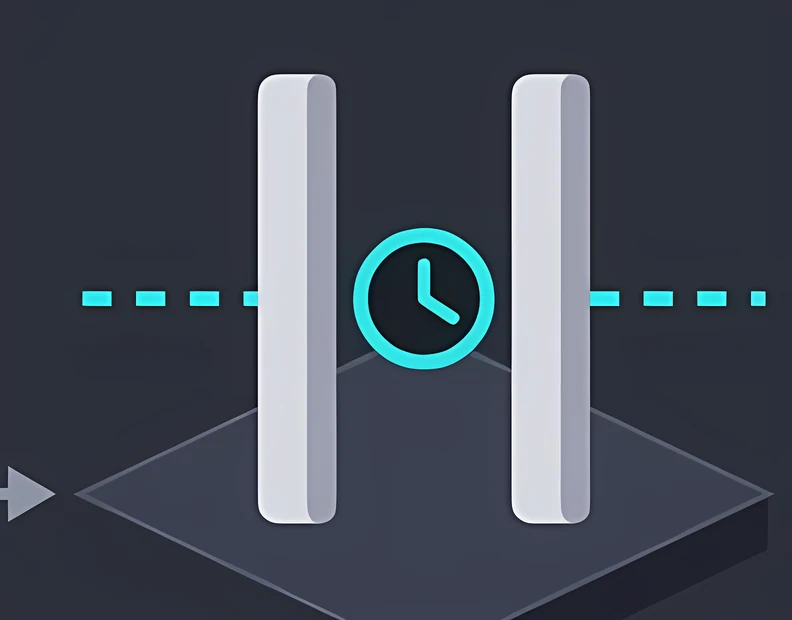
A low use vault for company essentials, licences and recovery information, reached on a nominated access day. 300GB, £74.99 a month inc VAT.
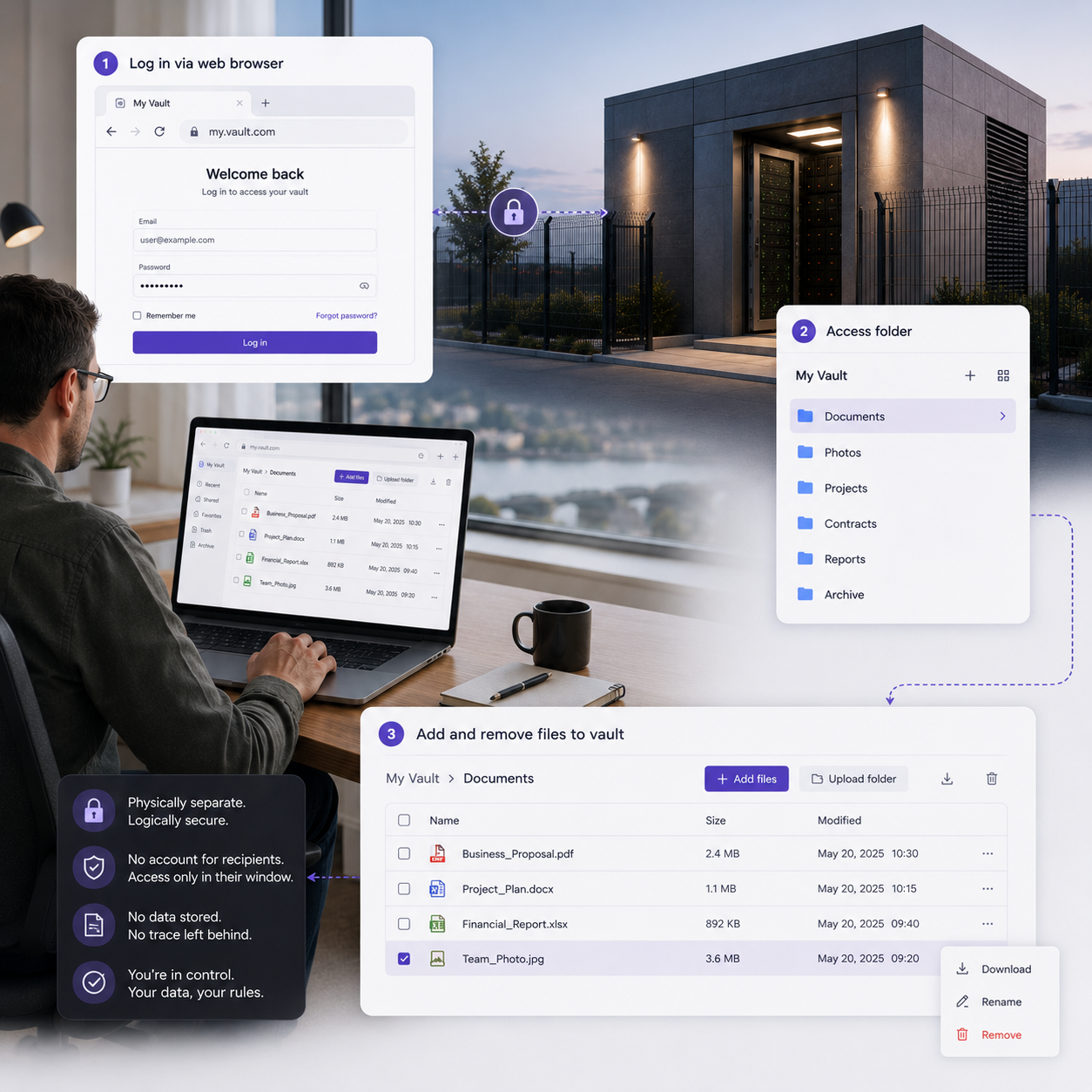
Vault
Open a session
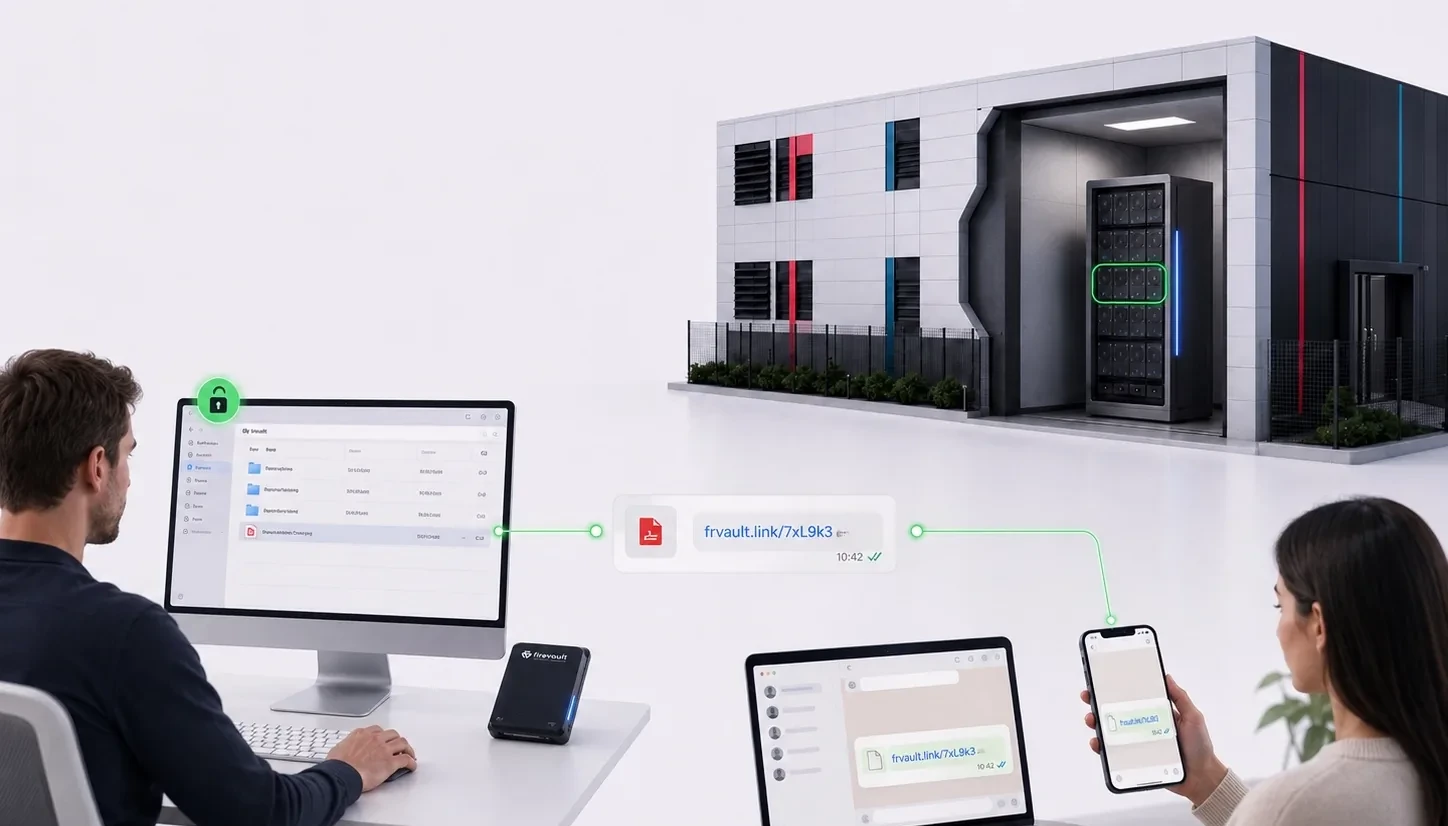
File Manager
LUV
Storage
Why Firevault
Every Offline Secure Storage® instance is built on the same four physical principles.

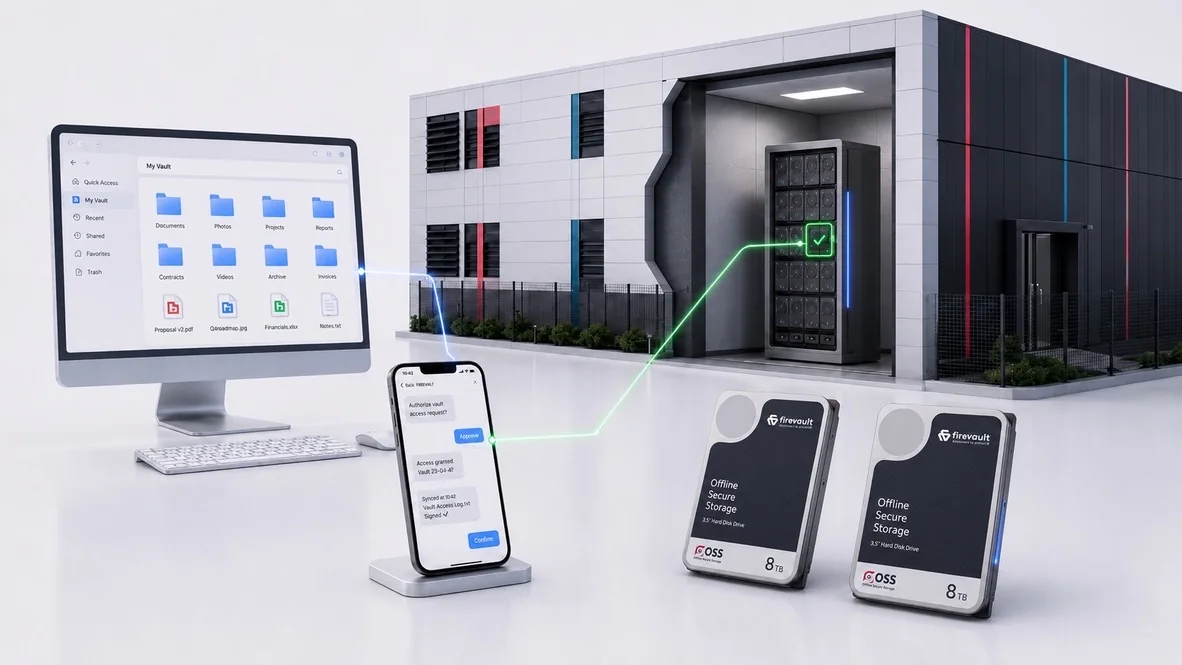
Vault, Storage and Enterprise use dedicated physical hardware. LUV provides an isolated 300GB allocation on a shared 2TB instance. Your selected records are held on physical drives and disconnected between authorised sessions.
Explore physical storage
Your allocation and authorised owner are recorded. Vault, Storage and Enterprise use dedicated hardware; LUV isolates each customer’s 300GB allocation on a shared instance.
Explore physical ownership
Access begins outside the normal network path. An authorised out-of-band command, such as SMS, controls the physical Layer 1 connection to your #OSS instance. When access is not required, that network path is physically disconnected.
Explore physical control
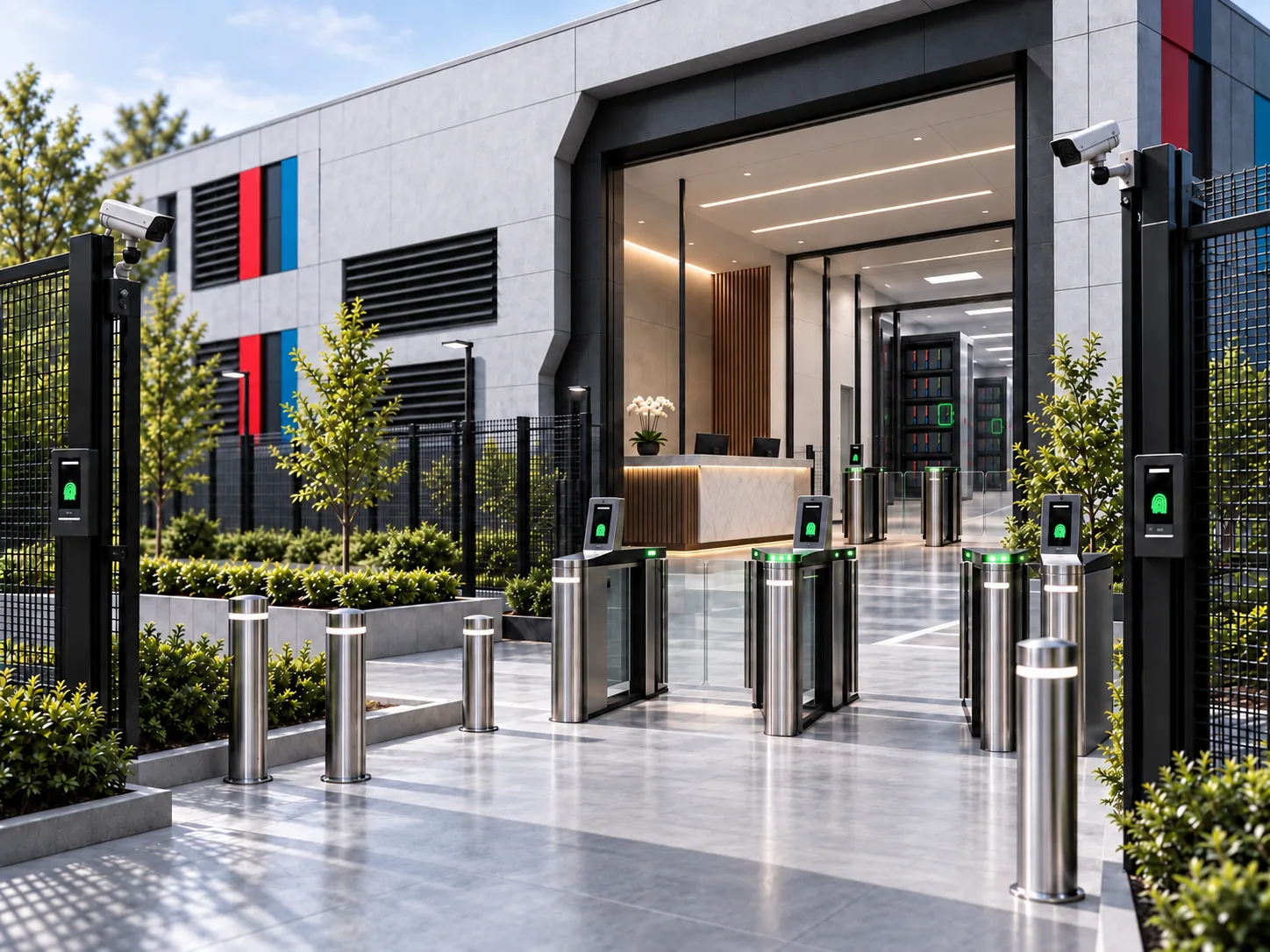
Your #OSS hardware is housed in carefully selected, professionally managed data centres with layered physical security, resilient power and environmental controls. Access is tightly controlled using three-factor authentication, including biometric identification, supported by 24/7 monitoring, restricted access zones and a complete audit trail.
Explore physical securityOnline when you need it. Offline when you do not.