 File Manager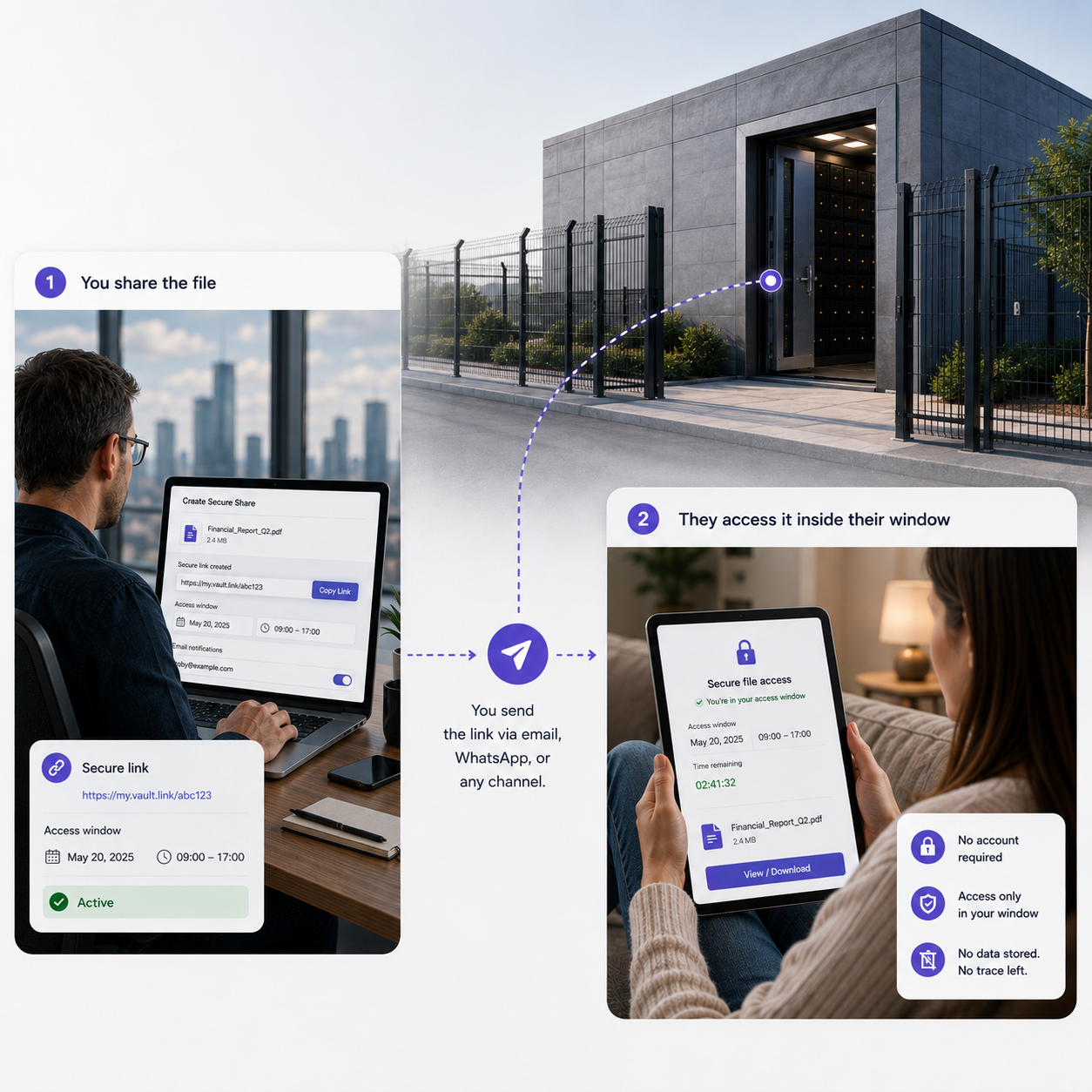
File management
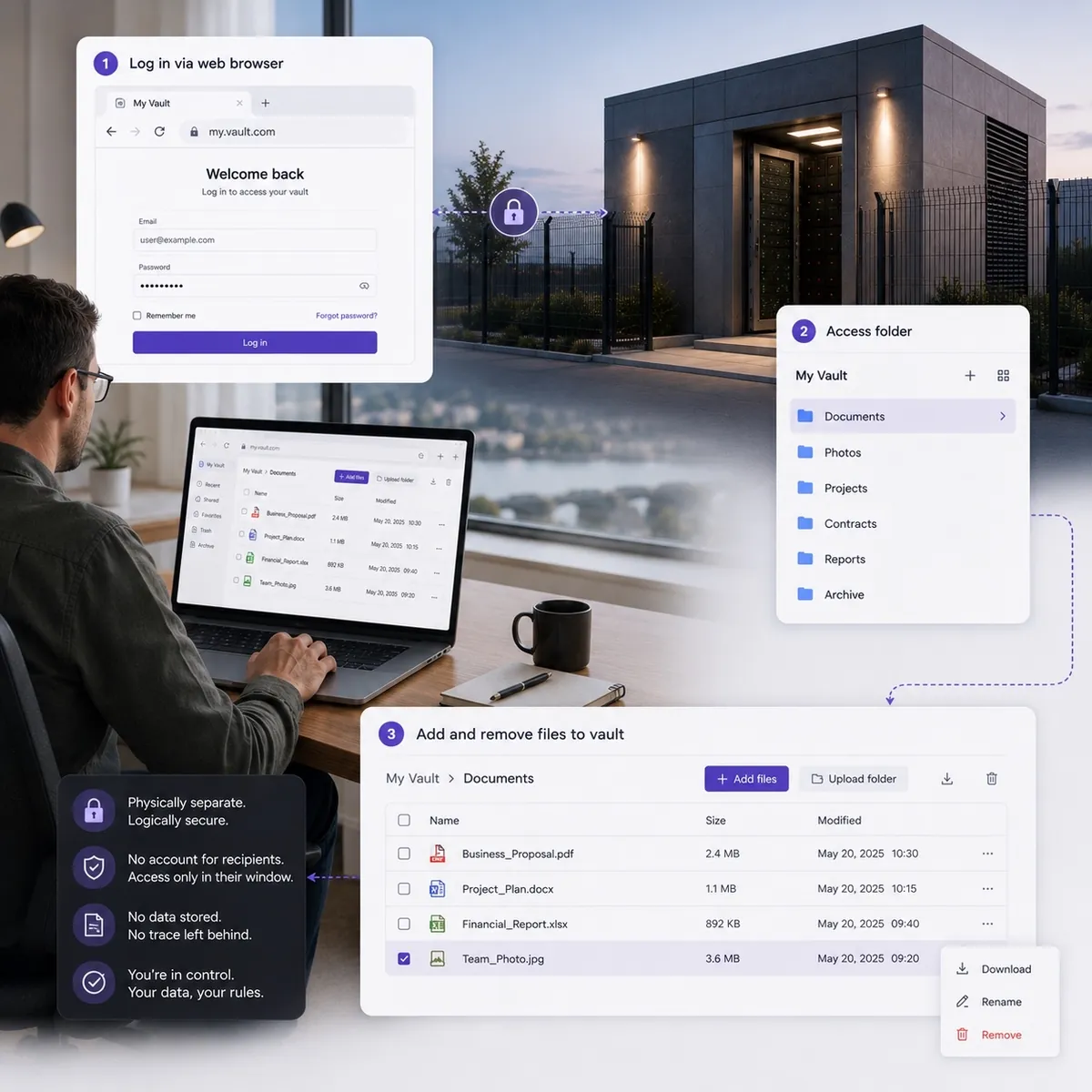
Browse, select and manage files and folders inside your Vault through a clean browser interface.
No mapped drive, no sync client, no permanent connection to your device.

 File ManagerIncluded with every Vault
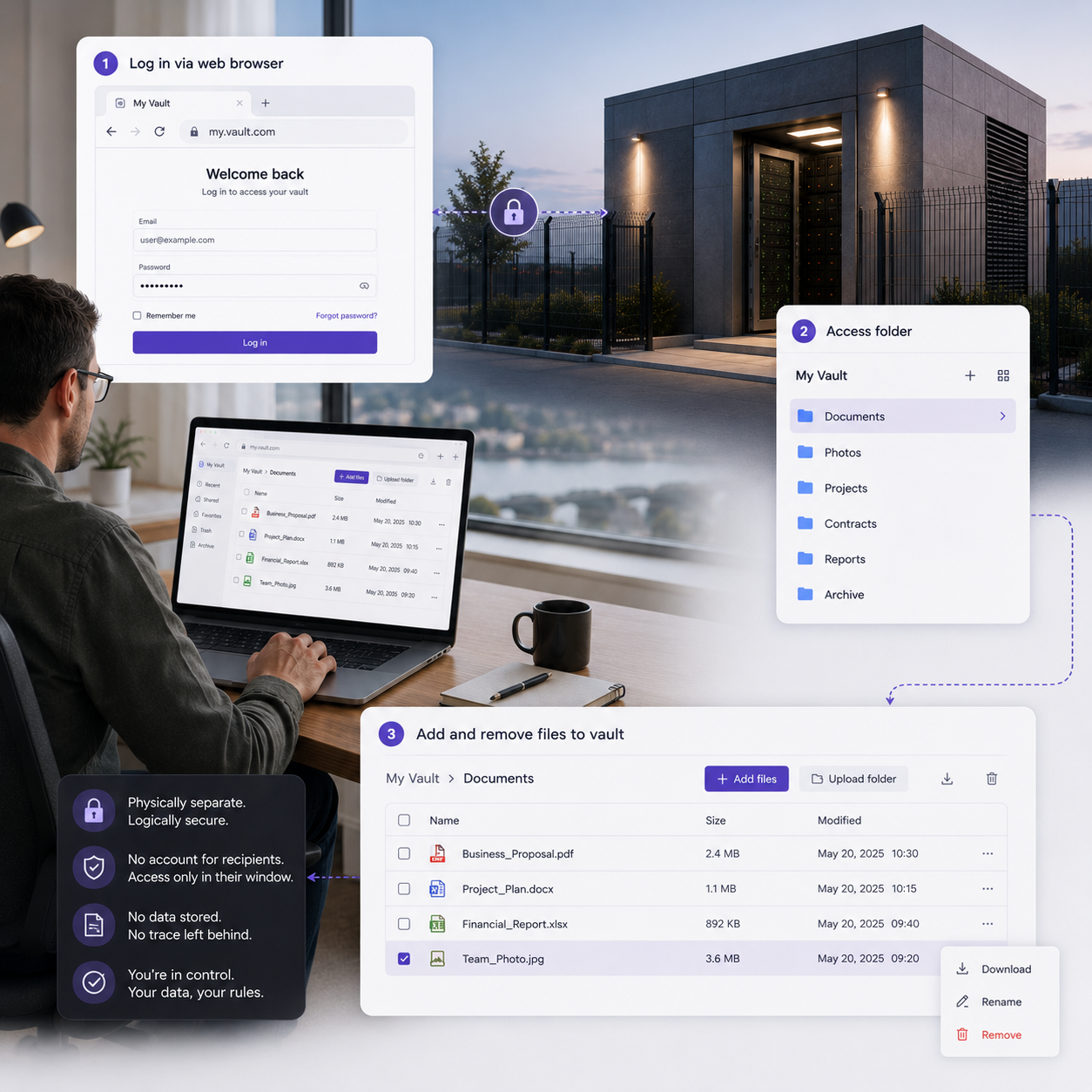
The File Manager is the browser interface that appears when it connects: upload, overwrite, create folders and share. The essential functions for working with offline records.
Vaults from £360 a month inc VAT. 36-month commitment, first payment at checkout.
As featured in
'%3e%3cpath%20fill='%23E40784'%20d='M141.363%2026.6a5.905%205.905%200%200%201-5.899-5.9%205.905%205.905%200%200%201%205.899-5.895%205.901%205.901%200%200%201%205.895%205.895%205.9%205.9%200%200%201-5.895%205.9Zm0-8.347a2.448%202.448%200%200%200%200%204.895%202.449%202.449%200%200%200%202.447-2.448%202.449%202.449%200%200%200-2.447-2.447ZM141.363%200c-.821%200-1.638.052-2.447.144v3.731a16.897%2016.897%200%200%201%202.447-.177c9.373%200%2017.002%207.626%2017.002%2017.002%200%20.825-.063%201.642-.177%202.448h3.732c.095-.81.143-1.627.143-2.448%200-11.411-9.285-20.7-20.7-20.7Z'/%3e%3cpath%20fill='%23E40784'%20d='M141.363%207.268c-.825%200-1.645.077-2.447.228v3.787a9.733%209.733%200%200%201%202.447-.313c5.369%200%209.734%204.368%209.734%209.734%200%20.832-.107%201.652-.313%202.447h3.783c.151-.802.228-1.623.228-2.447.004-7.412-6.024-13.436-13.432-13.436Z'/%3e%3cpath%20fill='%230F1729'%20d='M71.382%207.537h-2.84a5.82%205.82%200%200%200-5.815%205.818v9.785h4.037v-9.789a1.78%201.78%200%200%201%201.777-1.777h2.841V7.537ZM80.539%2019.1a3.787%203.787%200%200%201-3.783-3.784%203.787%203.787%200%200%201%203.783-3.783%203.787%203.787%200%200%201%203.783%203.784%203.787%203.787%200%200%201-3.783%203.783Zm0-11.6c-4.313%200-7.82%203.507-7.82%207.82%200%204.313%203.507%207.82%207.82%207.82%201.372%200%202.66-.357%203.78-.982v.982h4.036V15.32c.004-4.313-3.503-7.82-7.816-7.82ZM41.806%2018.71a5.512%205.512%200%200%201-4.34%202.1%205.55%205.55%200%200%201-5.541-5.541%205.55%205.55%200%200%201%205.542-5.543c1.696%200%203.279.766%204.339%202.102l.088.114%201.656-1.656-.077-.092a7.865%207.865%200%200%200-6.01-2.797c-4.339%200-7.871%203.533-7.871%207.872s3.532%207.871%207.871%207.871a7.865%207.865%200%200%200%206.01-2.797l.077-.091-1.656-1.656-.088.113ZM19.479%207.397c-4.34%200-7.872%203.53-7.872%207.872%200%204.342%203.533%207.871%207.872%207.871a7.883%207.883%200%200%200%207.205-4.71l.081-.18H24.15l-.037.058a5.543%205.543%200%200%201-10.05-1.873h13.2l.015-.11c.048-.357.073-.714.073-1.053%200-4.346-3.529-7.875-7.871-7.875Zm-5.417%206.705a5.54%205.54%200%200%201%205.417-4.376%205.54%205.54%200%200%201%205.417%204.376H14.06ZM46.192%2023.14h2.33v-8.847a4.599%204.599%200%200%201%204.593-4.592%204.599%204.599%200%200%201%204.592%204.592v8.844h2.33v-9.149h-.008a6.887%206.887%200%200%200-2.082-4.648%206.89%206.89%200%200%200-4.832-1.972%206.863%206.863%200%200%200-4.593%201.751V.545h-2.33V23.14ZM2.686%207.393H0v2.33h2.686v8.471a4.944%204.944%200%200%200%204.94%204.939h2.435v-2.33H7.625a2.613%202.613%200%200%201-2.609-2.612V9.726h3.772v-2.33H5.016V1.84h-2.33v5.553ZM101.968%208.457a7.721%207.721%200%200%200-2.547-.858c-.088-.014-.177-.03-.265-.04-.1-.011-.199-.022-.302-.03a9.993%209.993%200%200%200-.574-.029c-.022%200-.04-.004-.062-.004h-.037c-4.313%200-7.82%203.507-7.82%207.82%200%204.313%203.507%207.82%207.82%207.82h.037c.25%200%20.496-.014.743-.04l.037-.003a7.742%207.742%200%200%200%203.003-.939v.979h4.037L106.005.537h-4.037v7.92Zm0%206.863a3.788%203.788%200%200%201-3.769%203.78%203.786%203.786%200%200%201-3.76-3.78c0-2.08%201.688-3.772%203.764-3.78a3.787%203.787%200%200%201%203.765%203.78ZM119.75%2023.11h4.037V15.299c-.011-4.302-3.515-7.798-7.82-7.798-4.313%200-7.821%203.507-7.821%207.82%200%204.313%203.508%207.82%207.821%207.82%201.372%200%202.66-.357%203.783-.982v.953Zm-3.783-4.01a3.786%203.786%200%200%201-3.783-3.784%203.786%203.786%200%200%201%203.783-3.783%203.79%203.79%200%200%201%203.783%203.78v.003a3.787%203.787%200%200%201-3.783%203.784ZM132.273%207.5a5.824%205.824%200%200%200-5.818%205.818v9.822h4.037v-9.822a1.78%201.78%200%200%201%201.777-1.777h2.841V7.5h-2.837ZM173.736%2020.807a5.534%205.534%200%200%201-5.527-5.527%205.534%205.534%200%200%201%205.527-5.528%205.535%205.535%200%200%201%205.528%205.528%205.535%205.535%200%200%201-5.528%205.527Zm0-13.399a7.852%207.852%200%200%200-5.527%202.274V7.393h-2.344V30h2.344v-9.127a7.836%207.836%200%200%200%205.527%202.275c4.339%200%207.872-3.533%207.872-7.872s-3.533-7.868-7.872-7.868ZM186.735%2023.14h-2.385v-9.81a5.84%205.84%200%200%201%205.833-5.834h2.848v2.385h-2.848a3.45%203.45%200%200%200-3.448%203.448v9.811ZM202.813%209.774a5.535%205.535%200%200%200-5.528%205.528%205.535%205.535%200%200%200%205.528%205.527%205.534%205.534%200%200%200%205.527-5.527%205.534%205.534%200%200%200-5.527-5.528Zm0%2013.4c-4.339%200-7.872-3.533-7.872-7.872%200-4.34%203.533-7.872%207.872-7.872s7.872%203.53%207.872%207.872c0%204.339-3.533%207.871-7.872%207.871Z'/%3e%3c/g%3e%3cdefs%3e%3cclipPath%20id='a'%3e%3cpath%20fill='%230F1729'%20d='M0%200h210.68v30H0z'/%3e%3c/clipPath%3e%3c/defs%3e%3c/svg%3e)




Illustration
Works anywhere
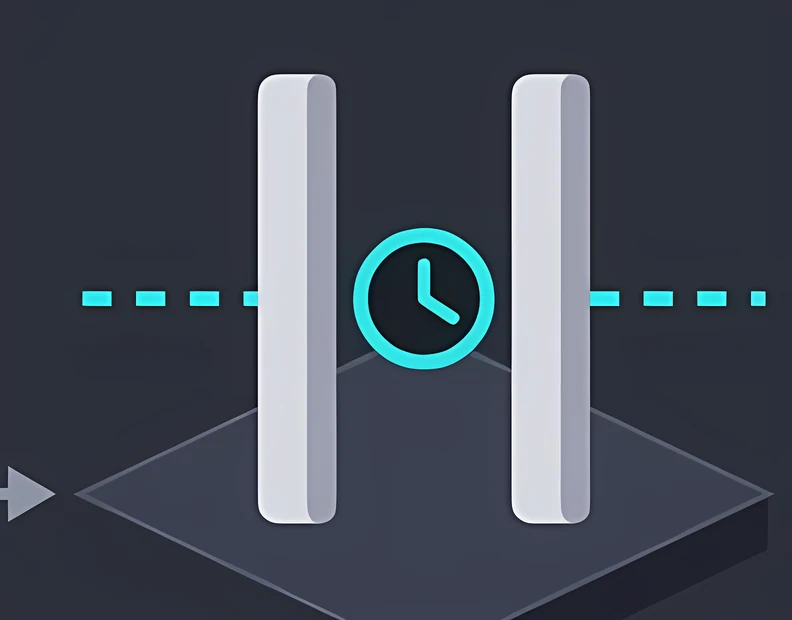
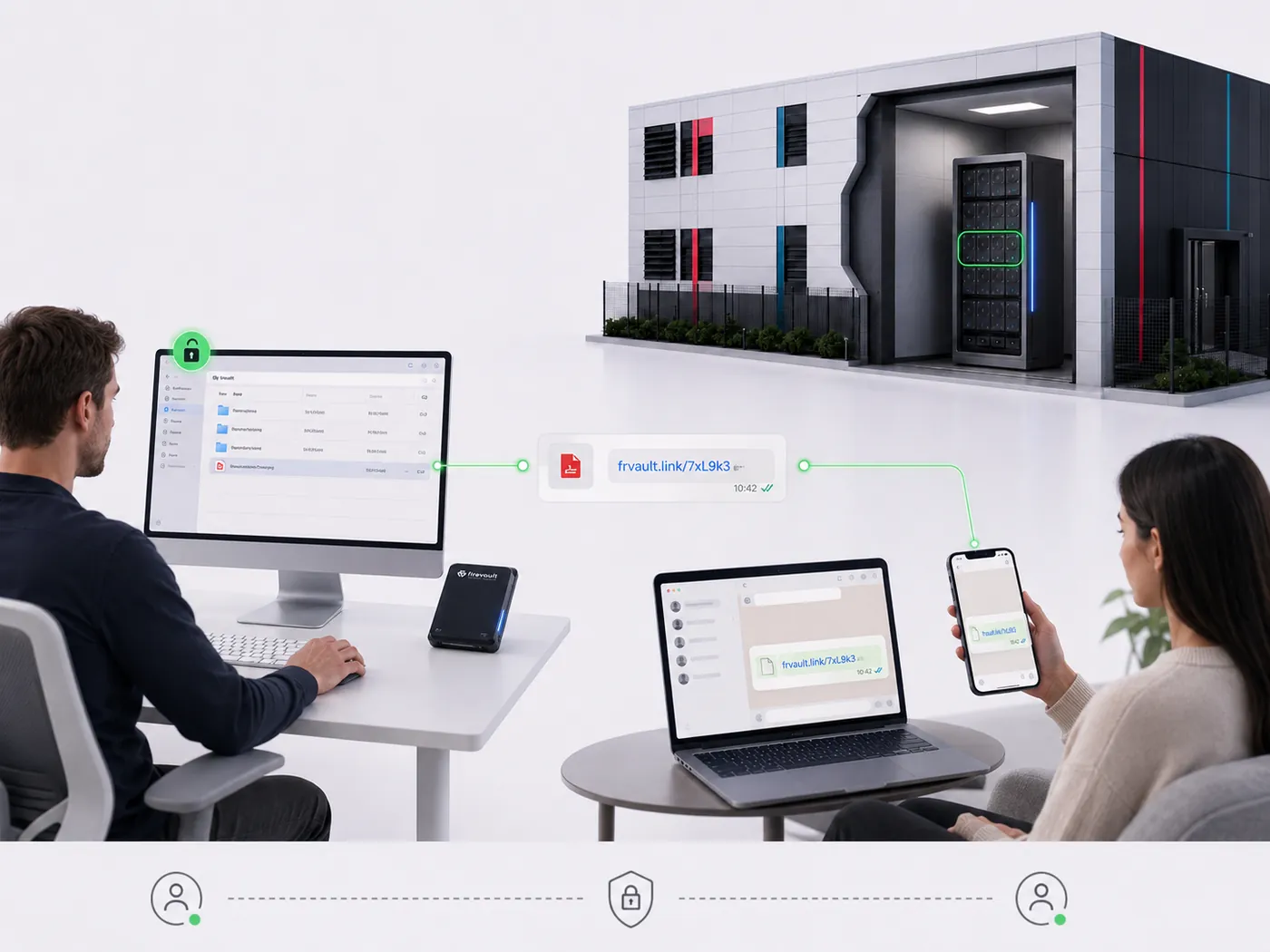
The File Manager is built on web standards alone, so your team can reach your Vault from whatever is already in front of them: during an authorised window, from any modern browser.
Desktop, laptop, tablet or phone. If it runs a modern browser, it can open the File Manager during an authorised window.
Nothing is installed on the device, so there is no client to update and no endpoint to secure.
Chrome, Safari, Edge or Firefox. The File Manager uses no plugins, extensions or downloads, so there is no browser lock-in and nobody on your team stuck waiting on IT.
What it does
Physical separation only earns its place if the people who own the records can use them without a specialist. The File Manager is the part of Offline Secure Storage® your team touches.
Drag files in or select them from your machine. When a record needs updating, overwrite it in place so your Vault always holds the latest copy.
Build the structure your team already understands, by client, matter, project or year, so the offline copy stays recognisable at a glance.
Send a record out through File Share: a time-boxed, password-protected link instead of an email attachment. The File Manager is where you choose what to share.
Features
The File Manager exposes only what you need to work with offline records: manage files, upload, overwrite, share and create folders. Nothing extra to secure, nothing extra to learn.
Browse, select and manage files and folders inside your Vault through a clean browser interface.
No mapped drive, no sync client, no permanent connection to your device.
Move single files or batches into your Vault with drag and drop.
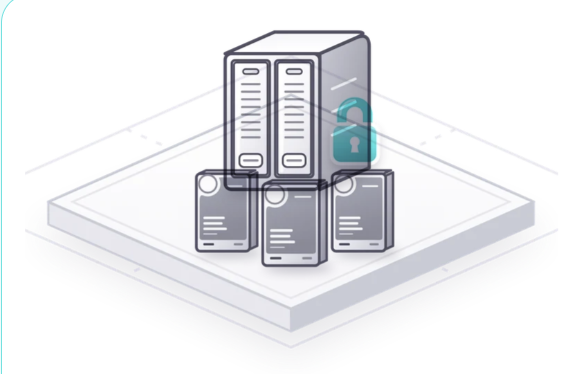
Progress is shown per transfer, and everything lands on dedicated hardware inside a Firevault Bunker.
Replace an existing file with a newer version.
The previous copy is retained, so you can prove what was held and when it changed.
Create a secure, time-boxed link from inside the File Manager.
Recipients download through File Share, without you sending the file by email.
File ShareAdd, rename and arrange folders to mirror your internal filing.
Your Vault stays organised, even while it is physically disconnected between sessions.
In a session
Connectivity is an authorised event, not a permanent condition. Four steps, start to finish.
Step 1 of 4
Open your Vault link and authenticate.
Vault is available on demand. LUV runs on one nominated day each week, inside a 12-hour window.
Step 2 of 4
Multi-factor authentication triggers a physical connection to your dedicated hardware.
The File Manager appears once that connection is live.
Step 3 of 4
Create folders, upload files, overwrite older versions and share records through File Share.
Every action is written to the audit log against your verified identity.
Step 4 of 4
You end the session or the timer expires.
The hardware is physically disconnected, the File Manager is gone, and there is no network path left to reach.

“Access was granted to the right people.”
Versus cloud drives
The familiarity is intentional. The availability model is the opposite of a synced cloud drive.
| Question | Typical cloud drive | Firevault File Manager |
|---|---|---|
| Always reachable over the internet | Yes | No, only during an authorised window |
| Agent or sync client on your device | Usually | None |
| Upload, overwrite and create folders | Yes | Yes, inside the access window |
| Share by time-boxed secure link | Sometimes | Built in |
| Identity verification per session | Sign-in, often cached | Multi-factor at every session |
| Audit trail tied to a verified identity | Varies by plan | Standard on every product |
| Discoverable by ransomware on your network | Yes, through mapped drives and tokens | No path exists between sessions |
Where it is included
Included with LUV, Vault and Enterprise. On Storage, it depends on configuration.
Choose your Vault
Pick the capacity. File Manager, File Share, Vault Buddy and Vault Spare come with every size.
Dedicated physical capacity
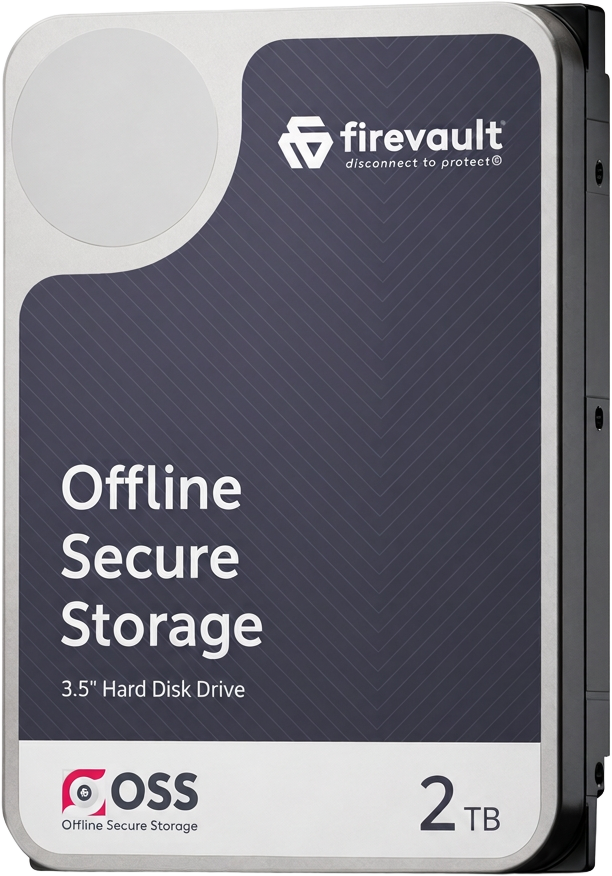 2TB
2TB
Contracts, company records, financial evidence and the client documents a small business cannot replace.
£360per month inc VAT
£300 a month ex VAT, 36-month commitment
Configure 2TBAsk a questionDedicated physical capacity
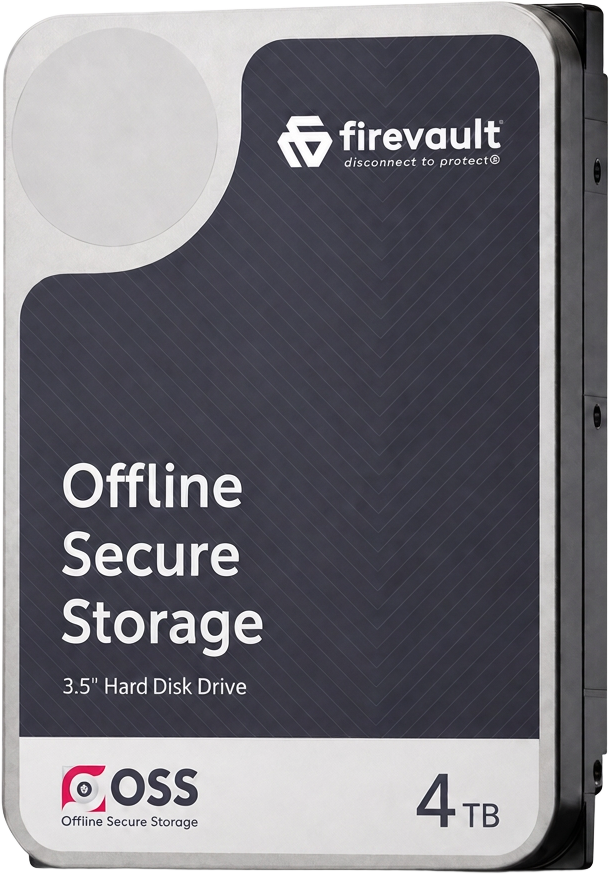 4TB
4TB
For growing businesses and professionals, with meaningful room to expand.
£480per month inc VAT
£400 a month ex VAT, 36-month commitment
Configure 4TBAsk a questionDedicated physical capacity
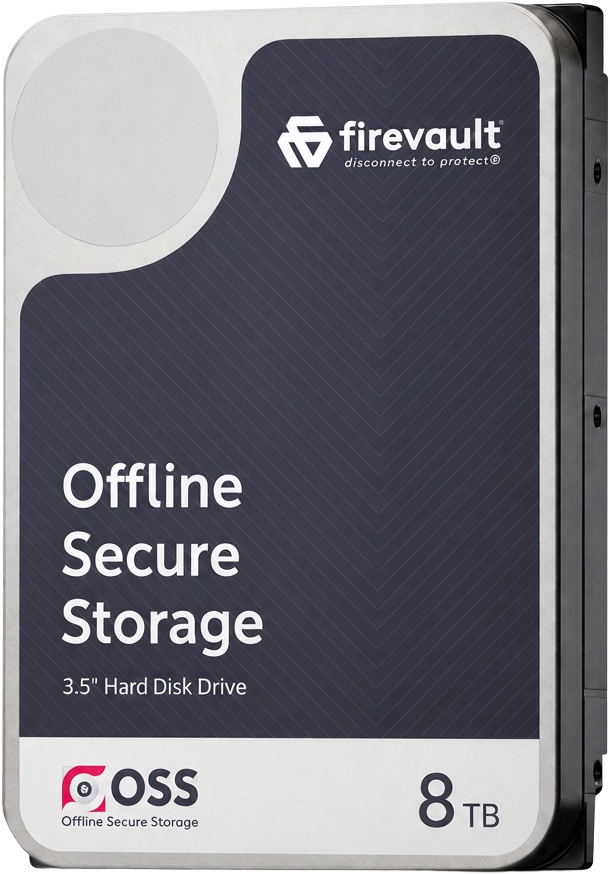 8TB
8TB
Substantial archives, creative work and records built up over many years. Adds a dedicated account manager.
£600per month inc VAT
£500 a month ex VAT, 36-month commitment
Configure 8TBAsk a questionEvery Vault belongs to one user. 36-month commitment, first payment at checkout.
In every OSS instance
File Manager, File Share, Vault Buddy and Vault Spare come with every OSS instance. Here are the other three.

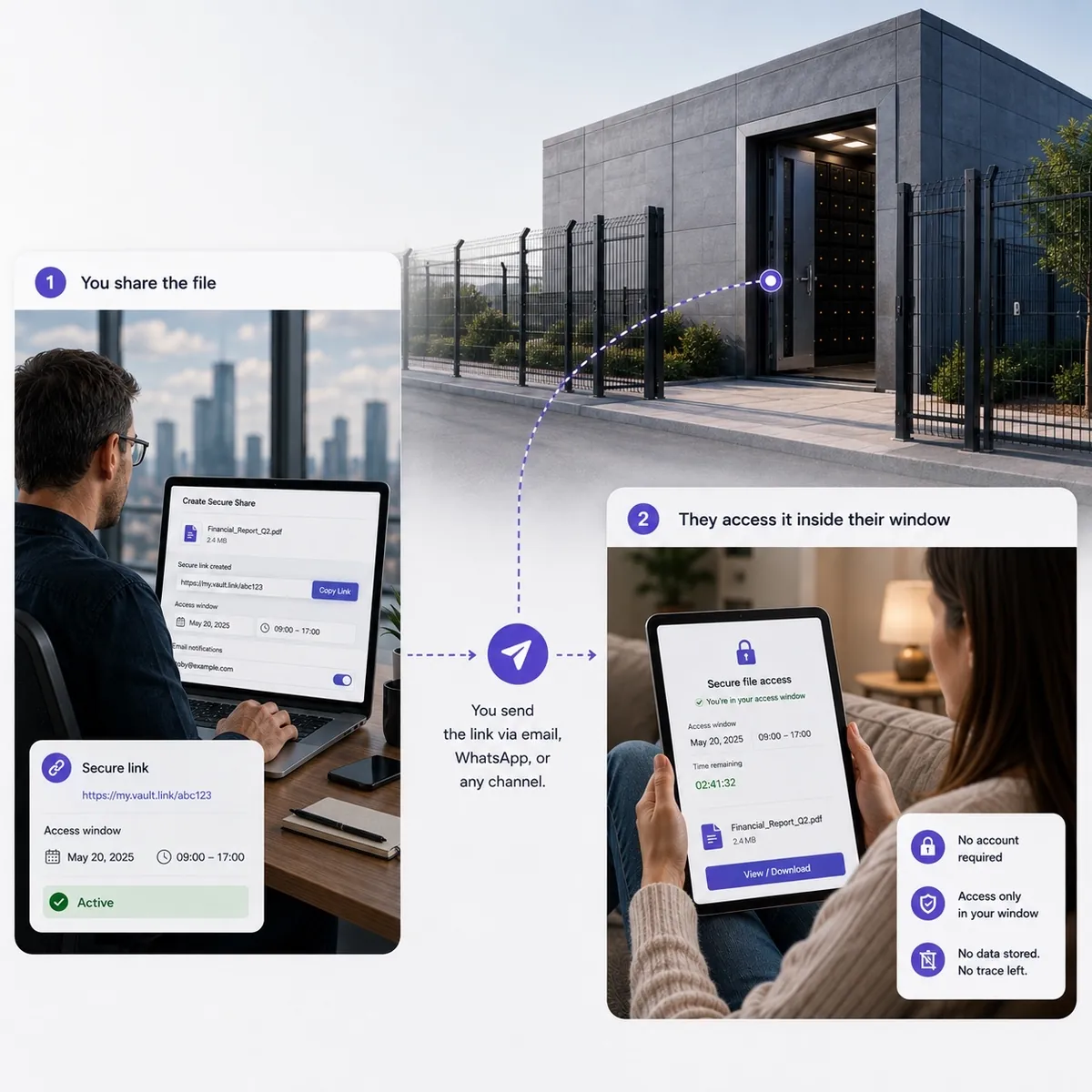 File ShareA time-boxed, password-protected link to a record in your Vault, withdrawn the moment the exchange is done.Explore File Share
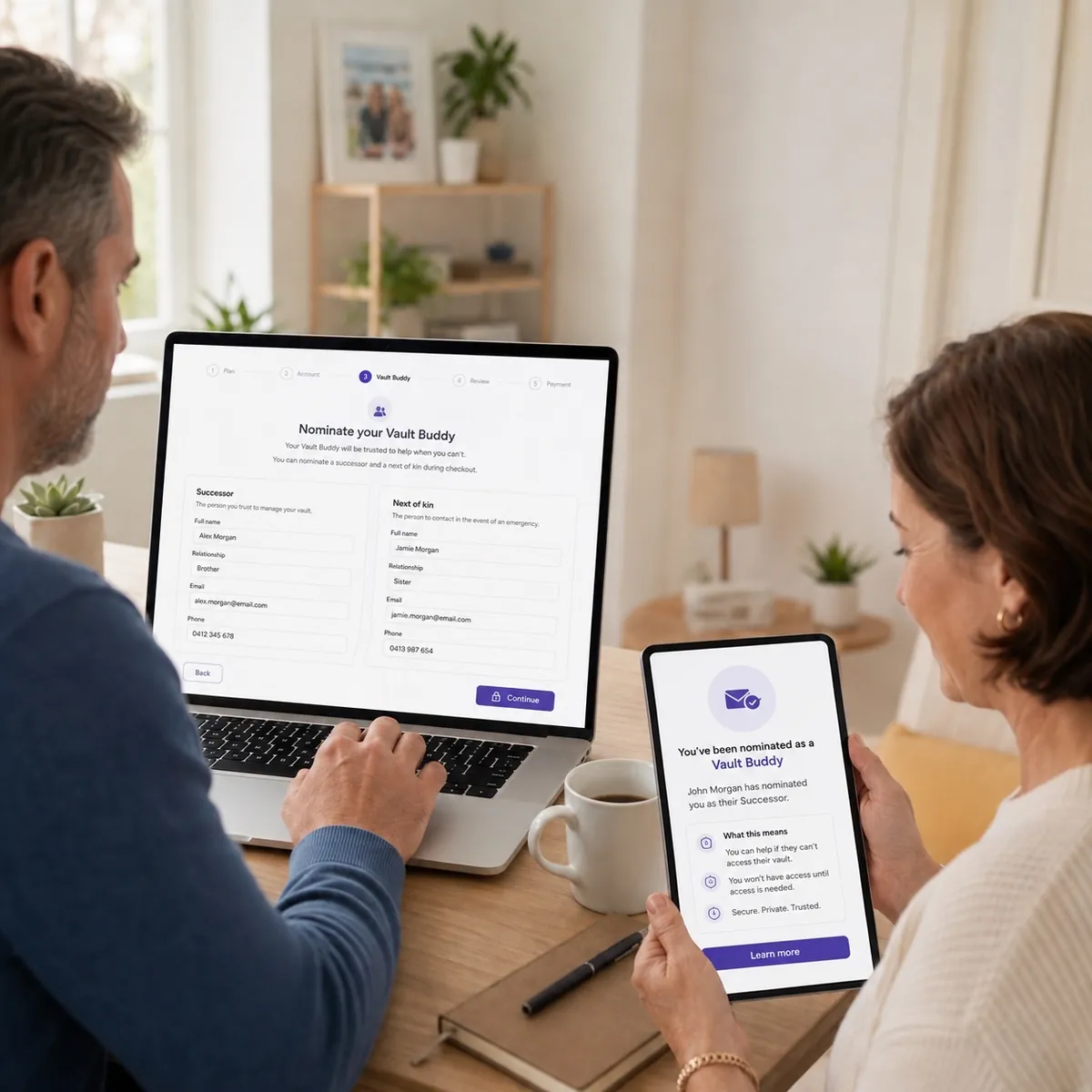 Vault BuddyNominate who should be able to reach your Vault. Released only on documentary evidence and verified identity.Explore Vault Buddy
 Vault SpareIf your Vault has a hardware failure, the spare is designed to keep your access running. Failed drives come back to you.Explore Vault Spare
Questions
It is the browser interface you use to manage files inside your Offline Secure Storage® Vault during an authorised access window. You can upload, overwrite, create folders and share records through it.
File management, upload, overwrite, share and create folders. These are the functions we expose deliberately: a focused tool for working with offline records, not a full NAS replacement.
No. The File Manager runs in any modern browser (Chrome, Safari, Edge or Firefox) on any device with a screen and a keyboard or touch input. There is no sync client, no agent and no mapped drive, which is deliberate: a permanent client would mean a permanent path to your data.
It depends on the product. Vault is available on demand. LUV uses one nominated day each week, within a 12-hour window. Storage and Enterprise are designed around your transfer schedule.
It closes with the session. Your hardware is physically disconnected, so there is nothing to browse, scan or attack until the next verified access window.
Any file format is supported, because your Vault is block-level storage on dedicated hardware. Very large transfers are best planned into a longer window, and our team will help size that with you.
Actions are logged against the verified identity that performed them. Administrators on business products can review the audit log, and it can be produced for regulators, auditors and insurers.
No. Data is encrypted and Firevault does not browse customer records. The File Manager is your interface to your own hardware, not a shared platform.
 Disconnect to Protect®
Tell us what you need to hold and how often you need to reach it. We will match it to LUV, Vault, Storage or Enterprise and walk you through a live session.