
Expiry window
Set how long the link should live, from a few hours to a defined number of days.
Expiry is enforced by your Vault, not by the recipient’s good behaviour.

 File ShareIncluded with every Vault
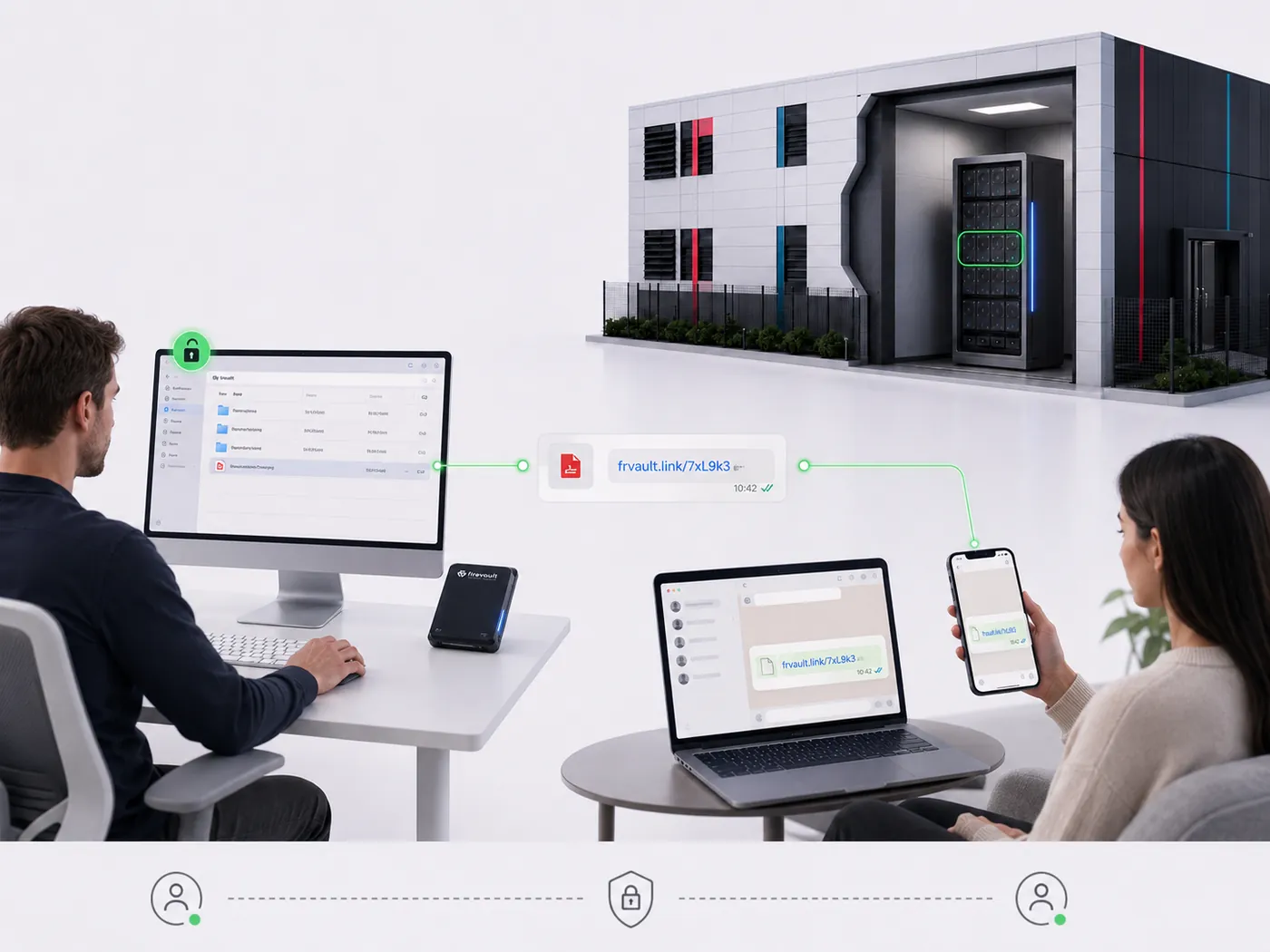
File Share sends a time-boxed, password-protected link to a document held in your Vault, and lets you withdraw it the moment the exchange is done.
Vaults from £360 a month inc VAT. 36-month commitment, first payment at checkout.
As featured in
'%3e%3cpath%20fill='%23E40784'%20d='M141.363%2026.6a5.905%205.905%200%200%201-5.899-5.9%205.905%205.905%200%200%201%205.899-5.895%205.901%205.901%200%200%201%205.895%205.895%205.9%205.9%200%200%201-5.895%205.9Zm0-8.347a2.448%202.448%200%200%200%200%204.895%202.449%202.449%200%200%200%202.447-2.448%202.449%202.449%200%200%200-2.447-2.447ZM141.363%200c-.821%200-1.638.052-2.447.144v3.731a16.897%2016.897%200%200%201%202.447-.177c9.373%200%2017.002%207.626%2017.002%2017.002%200%20.825-.063%201.642-.177%202.448h3.732c.095-.81.143-1.627.143-2.448%200-11.411-9.285-20.7-20.7-20.7Z'/%3e%3cpath%20fill='%23E40784'%20d='M141.363%207.268c-.825%200-1.645.077-2.447.228v3.787a9.733%209.733%200%200%201%202.447-.313c5.369%200%209.734%204.368%209.734%209.734%200%20.832-.107%201.652-.313%202.447h3.783c.151-.802.228-1.623.228-2.447.004-7.412-6.024-13.436-13.432-13.436Z'/%3e%3cpath%20fill='%230F1729'%20d='M71.382%207.537h-2.84a5.82%205.82%200%200%200-5.815%205.818v9.785h4.037v-9.789a1.78%201.78%200%200%201%201.777-1.777h2.841V7.537ZM80.539%2019.1a3.787%203.787%200%200%201-3.783-3.784%203.787%203.787%200%200%201%203.783-3.783%203.787%203.787%200%200%201%203.783%203.784%203.787%203.787%200%200%201-3.783%203.783Zm0-11.6c-4.313%200-7.82%203.507-7.82%207.82%200%204.313%203.507%207.82%207.82%207.82%201.372%200%202.66-.357%203.78-.982v.982h4.036V15.32c.004-4.313-3.503-7.82-7.816-7.82ZM41.806%2018.71a5.512%205.512%200%200%201-4.34%202.1%205.55%205.55%200%200%201-5.541-5.541%205.55%205.55%200%200%201%205.542-5.543c1.696%200%203.279.766%204.339%202.102l.088.114%201.656-1.656-.077-.092a7.865%207.865%200%200%200-6.01-2.797c-4.339%200-7.871%203.533-7.871%207.872s3.532%207.871%207.871%207.871a7.865%207.865%200%200%200%206.01-2.797l.077-.091-1.656-1.656-.088.113ZM19.479%207.397c-4.34%200-7.872%203.53-7.872%207.872%200%204.342%203.533%207.871%207.872%207.871a7.883%207.883%200%200%200%207.205-4.71l.081-.18H24.15l-.037.058a5.543%205.543%200%200%201-10.05-1.873h13.2l.015-.11c.048-.357.073-.714.073-1.053%200-4.346-3.529-7.875-7.871-7.875Zm-5.417%206.705a5.54%205.54%200%200%201%205.417-4.376%205.54%205.54%200%200%201%205.417%204.376H14.06ZM46.192%2023.14h2.33v-8.847a4.599%204.599%200%200%201%204.593-4.592%204.599%204.599%200%200%201%204.592%204.592v8.844h2.33v-9.149h-.008a6.887%206.887%200%200%200-2.082-4.648%206.89%206.89%200%200%200-4.832-1.972%206.863%206.863%200%200%200-4.593%201.751V.545h-2.33V23.14ZM2.686%207.393H0v2.33h2.686v8.471a4.944%204.944%200%200%200%204.94%204.939h2.435v-2.33H7.625a2.613%202.613%200%200%201-2.609-2.612V9.726h3.772v-2.33H5.016V1.84h-2.33v5.553ZM101.968%208.457a7.721%207.721%200%200%200-2.547-.858c-.088-.014-.177-.03-.265-.04-.1-.011-.199-.022-.302-.03a9.993%209.993%200%200%200-.574-.029c-.022%200-.04-.004-.062-.004h-.037c-4.313%200-7.82%203.507-7.82%207.82%200%204.313%203.507%207.82%207.82%207.82h.037c.25%200%20.496-.014.743-.04l.037-.003a7.742%207.742%200%200%200%203.003-.939v.979h4.037L106.005.537h-4.037v7.92Zm0%206.863a3.788%203.788%200%200%201-3.769%203.78%203.786%203.786%200%200%201-3.76-3.78c0-2.08%201.688-3.772%203.764-3.78a3.787%203.787%200%200%201%203.765%203.78ZM119.75%2023.11h4.037V15.299c-.011-4.302-3.515-7.798-7.82-7.798-4.313%200-7.821%203.507-7.821%207.82%200%204.313%203.508%207.82%207.821%207.82%201.372%200%202.66-.357%203.783-.982v.953Zm-3.783-4.01a3.786%203.786%200%200%201-3.783-3.784%203.786%203.786%200%200%201%203.783-3.783%203.79%203.79%200%200%201%203.783%203.78v.003a3.787%203.787%200%200%201-3.783%203.784ZM132.273%207.5a5.824%205.824%200%200%200-5.818%205.818v9.822h4.037v-9.822a1.78%201.78%200%200%201%201.777-1.777h2.841V7.5h-2.837ZM173.736%2020.807a5.534%205.534%200%200%201-5.527-5.527%205.534%205.534%200%200%201%205.527-5.528%205.535%205.535%200%200%201%205.528%205.528%205.535%205.535%200%200%201-5.528%205.527Zm0-13.399a7.852%207.852%200%200%200-5.527%202.274V7.393h-2.344V30h2.344v-9.127a7.836%207.836%200%200%200%205.527%202.275c4.339%200%207.872-3.533%207.872-7.872s-3.533-7.868-7.872-7.868ZM186.735%2023.14h-2.385v-9.81a5.84%205.84%200%200%201%205.833-5.834h2.848v2.385h-2.848a3.45%203.45%200%200%200-3.448%203.448v9.811ZM202.813%209.774a5.535%205.535%200%200%200-5.528%205.528%205.535%205.535%200%200%200%205.528%205.527%205.534%205.534%200%200%200%205.527-5.527%205.534%205.534%200%200%200-5.527-5.528Zm0%2013.4c-4.339%200-7.872-3.533-7.872-7.872%200-4.34%203.533-7.872%207.872-7.872s7.872%203.53%207.872%207.872c0%204.339-3.533%207.871-7.872%207.871Z'/%3e%3c/g%3e%3cdefs%3e%3cclipPath%20id='a'%3e%3cpath%20fill='%230F1729'%20d='M0%200h210.68v30H0z'/%3e%3c/clipPath%3e%3c/defs%3e%3c/svg%3e)




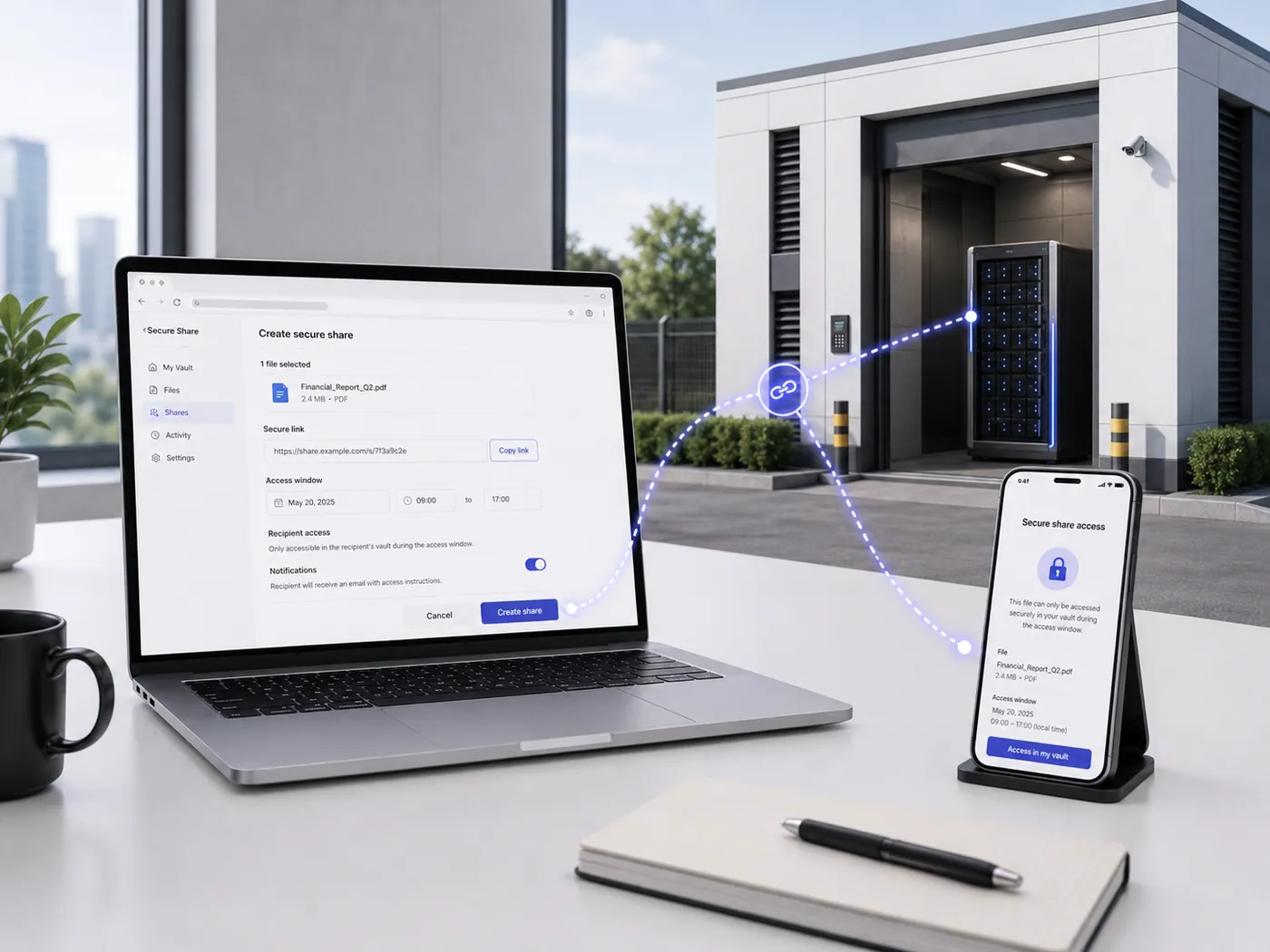
Secure linkCreated in the File ManagerActiveRevoked
Completion statement.pdfOne record. Nothing outside the share is reachable.
The record stays in your Vault as your copy of recordRevoked. Access ended immediately
Illustration
Why it matters
Data rarely leaks from the vault. It leaks from the copy someone emailed, forwarded and forgot. File Share keeps the record where it belongs and gives access a deadline.
An email attachment leaves your control the moment it is sent. A share link stays owned by your Vault, so access can be withdrawn at any point.
Every link is time-boxed. Once the window passes, the link is dead and the recipient sees nothing, even if the message is forwarded on.
Each link carries a record of who created it, who opened it and when. That record is what a regulator, insurer or client asks for after the event.
Controls
Each control answers a question you will be asked after an incident: who could open it, for how long, and how do you know.
Set how long the link should live, from a few hours to a defined number of days.
Expiry is enforced by your Vault, not by the recipient’s good behaviour.
Protect the link with a password shared through a separate channel, so a forwarded email alone is not enough to open the file.
Withdraw a link at any time.
Access ends immediately, which matters when a deal falls away or a recipient leaves their firm.
See whether a link has been opened, how many times and when, so you know a bundle actually reached the other side.
Share a specific document or folder rather than granting a route into the wider Vault.
Nothing outside the share is reachable.
The person who created the share is recorded in the audit trail, alongside every other action in that access window.
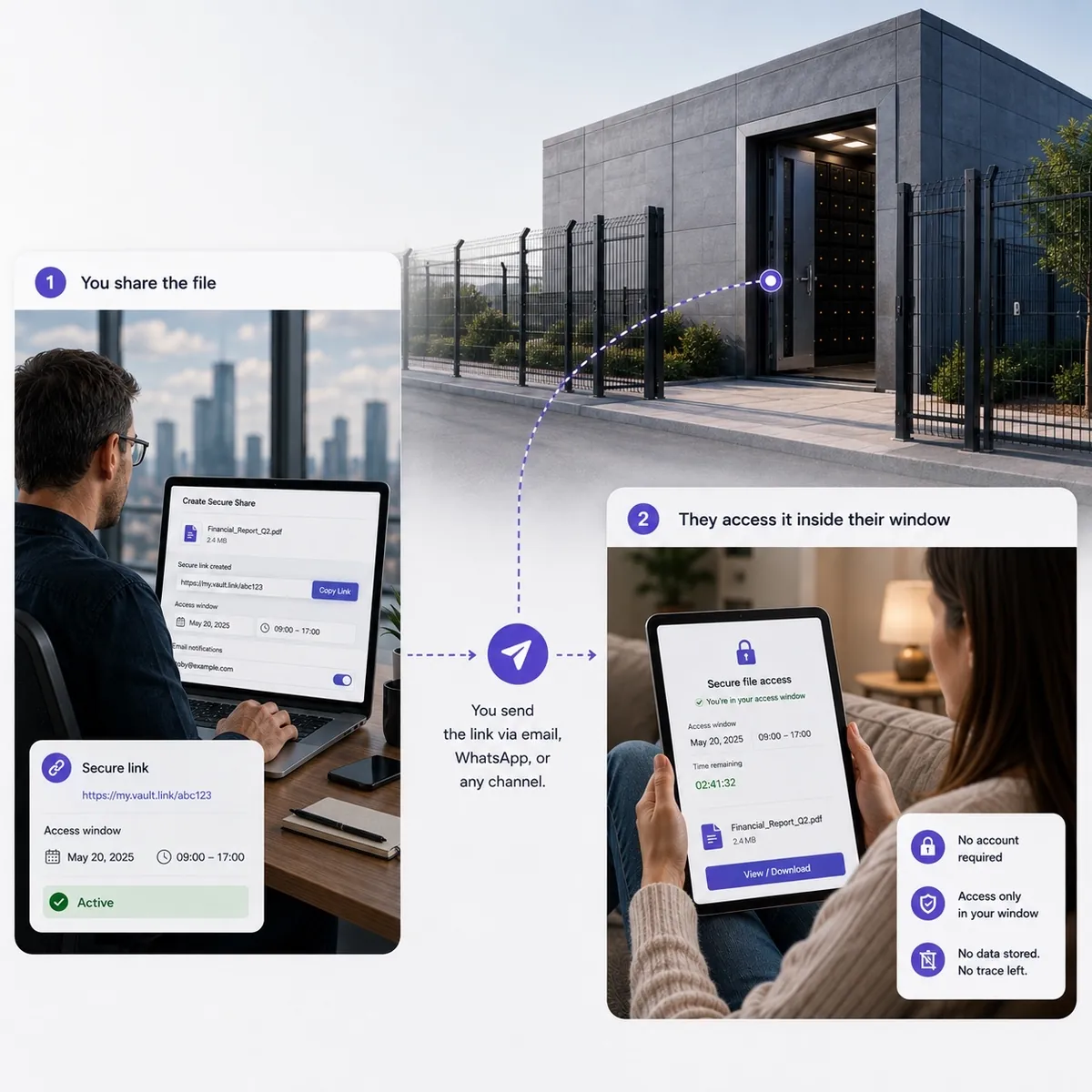
How it works
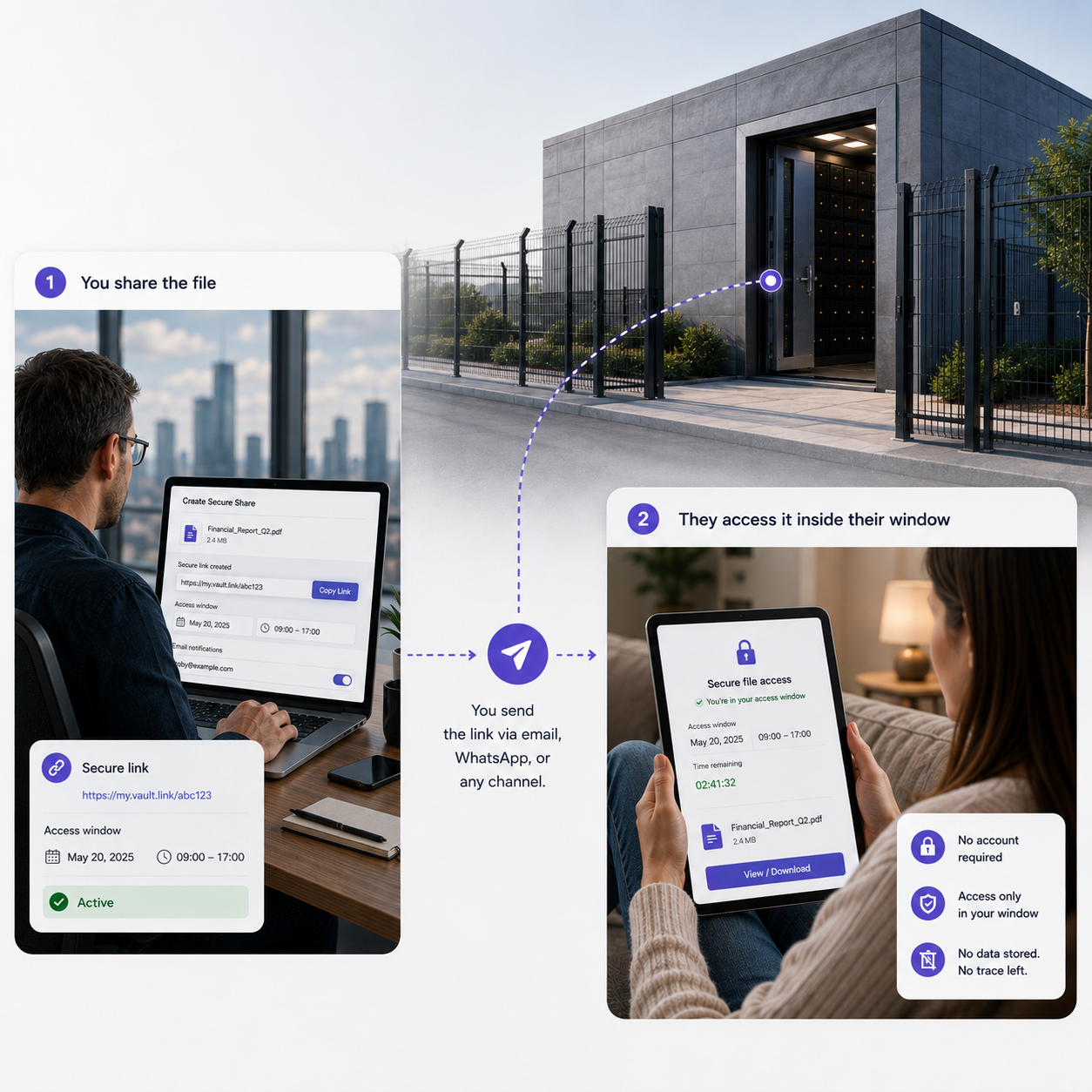
Sharing sits inside the access window, so there is never a standing service exposed between sessions.
Step 1 of 4
Authenticate and connect your Vault.
Sharing happens from inside the File Manager, never from a standing service left running between sessions.
Step 2 of 4
Select the document or folder, set the expiry window, and add a password where the material is sensitive.
Step 3 of 4
Send the link by whichever channel suits the relationship, and pass the password separately so the two never travel together.
Step 4 of 4
Check whether it was opened, and revoke the link when the exchange is finished rather than waiting for expiry.
A link works only while your Vault is reachable, so plan the exchange into your access window.
Where it is used
Regulated firms share the most sensitive material they hold at the least convenient moments. These are the cases we see most.
Send closed matter files, deeds, wills or evidence bundles to counsel, clients or a new firm, without emailing privileged material as an attachment.
See the sector pageRelease statutory records and audit evidence to an auditor or regulator for the period they need it, then withdraw access.
See the sector pageShare board papers and transaction documents with advisers on a time-boxed basis, rather than opening a permanent data room.
See the sector pagePass identity documents, policies or estate paperwork to a solicitor or family member, without leaving them sitting in an inbox.
See the sector pageVersus email
An attachment is a permanent copy in someone else’s estate. A link is access you still own.
| Question | Email attachment | File Share |
|---|---|---|
| Can you withdraw access after sending? | No | Yes, revoke at any time |
| Does access expire automatically? | No | Yes, on the window you set |
| An extra credential to open the file | Rarely | Optional password on every link |
| Do you know whether it was opened? | No | Yes, access is visible |
| Copies left on mail servers | Yes, on every hop | The record stays in your Vault |
| Audit evidence of the disclosure | Sent items only | Logged against a verified identity |
Where it is included
Included with LUV, Vault and Enterprise. On Storage, it depends on configuration. On LUV, plan your shares into your weekly access window.
Choose your Vault
Pick the capacity. File Manager, File Share, Vault Buddy and Vault Spare come with every size.
Dedicated physical capacity
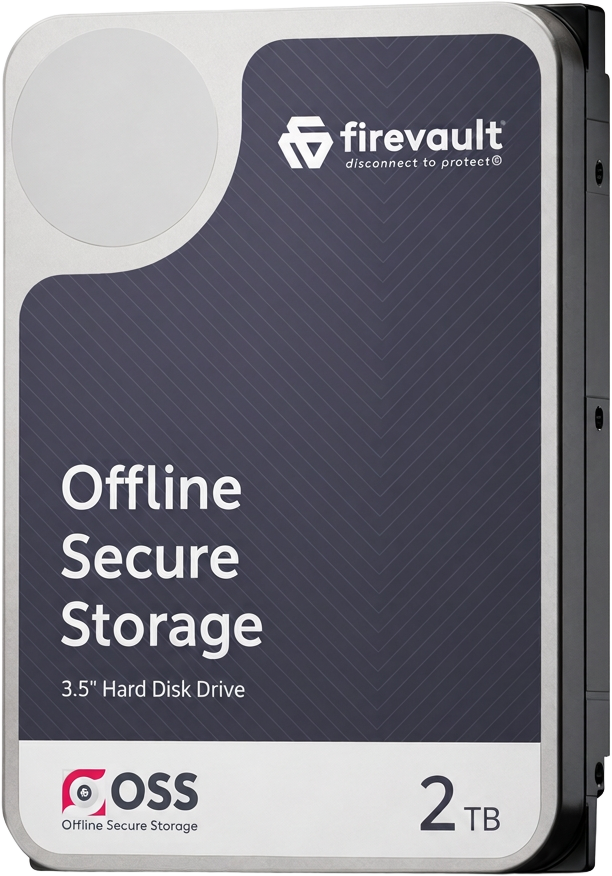 2TB
2TB
Contracts, company records, financial evidence and the client documents a small business cannot replace.
£360per month inc VAT
£300 a month ex VAT, 36-month commitment
Configure 2TBAsk a questionDedicated physical capacity
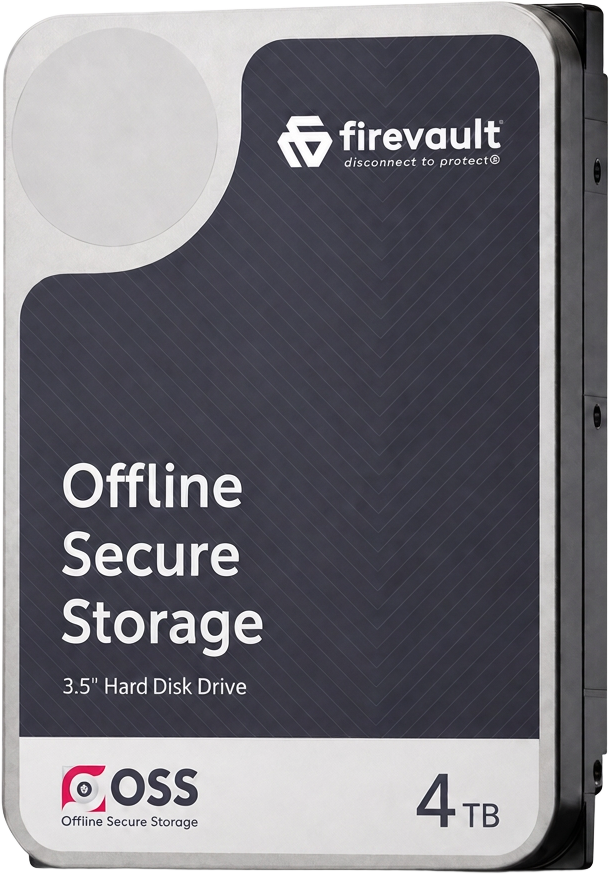 4TB
4TB
For growing businesses and professionals, with meaningful room to expand.
£480per month inc VAT
£400 a month ex VAT, 36-month commitment
Configure 4TBAsk a questionDedicated physical capacity
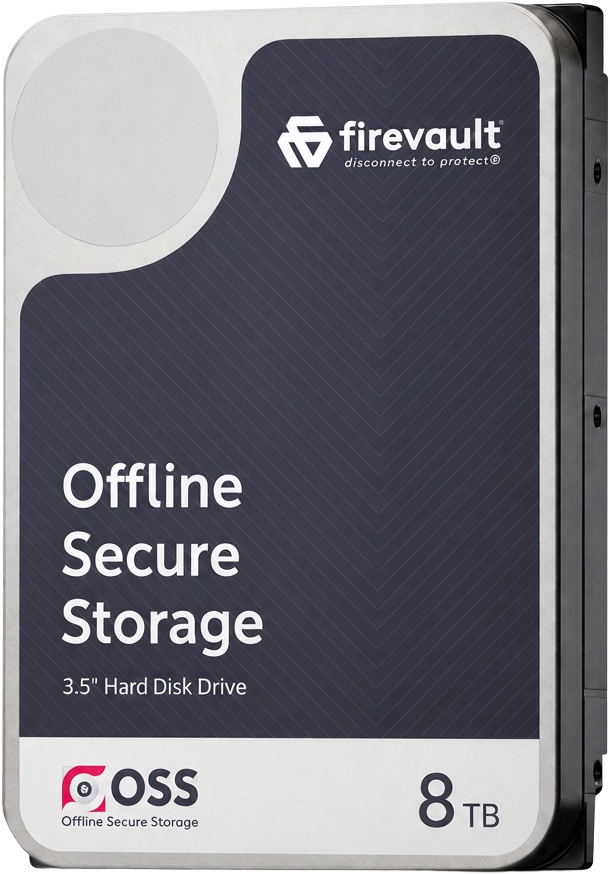 8TB
8TB
Substantial archives, creative work and records built up over many years. Adds a dedicated account manager.
£600per month inc VAT
£500 a month ex VAT, 36-month commitment
Configure 8TBAsk a questionEvery Vault belongs to one user. 36-month commitment, first payment at checkout.
In every OSS instance
File Manager, File Share, Vault Buddy and Vault Spare come with every OSS instance. Here are the other three.

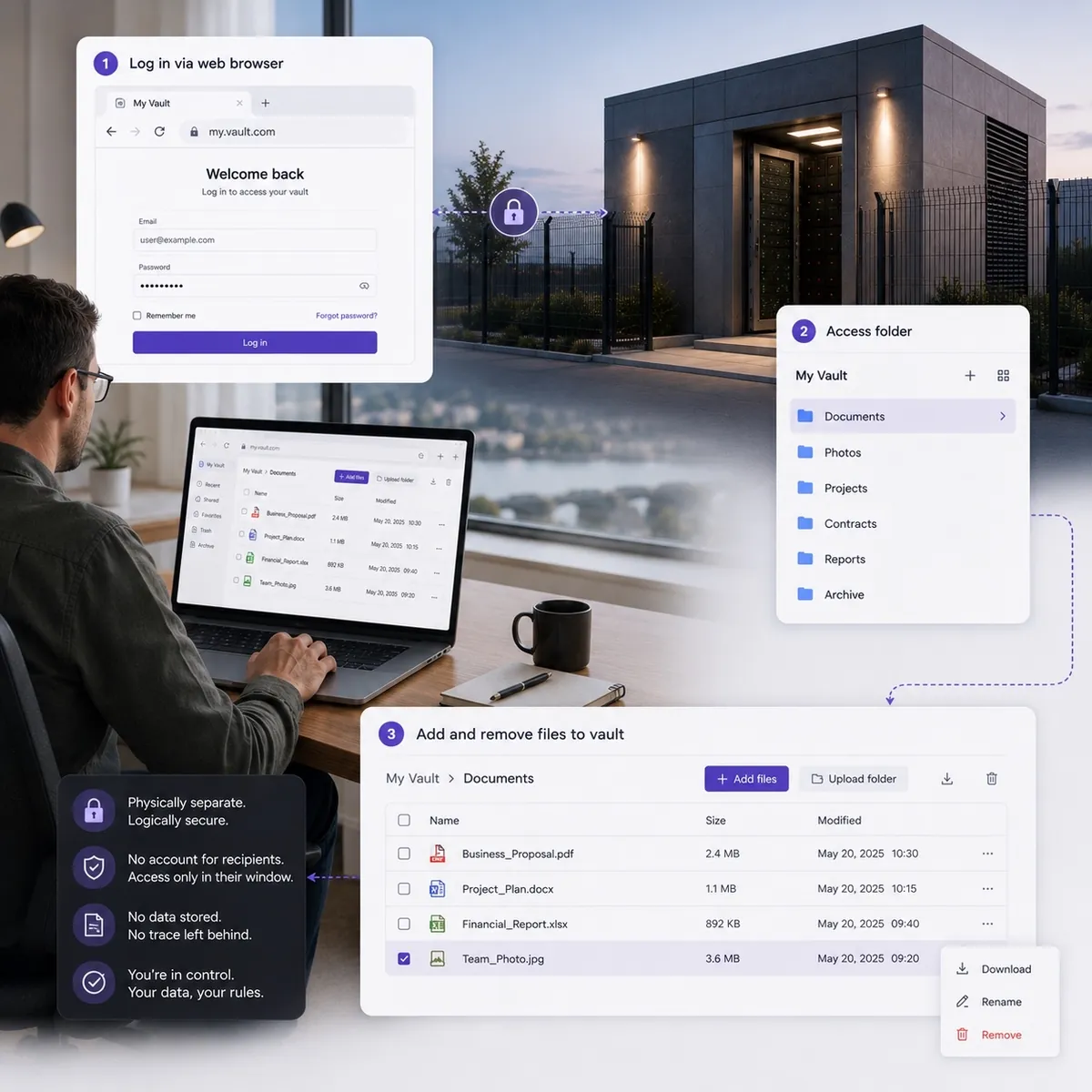 File ManagerUpload, overwrite, create folders and share from any modern browser during an authorised window. Nothing to install.Explore File Manager
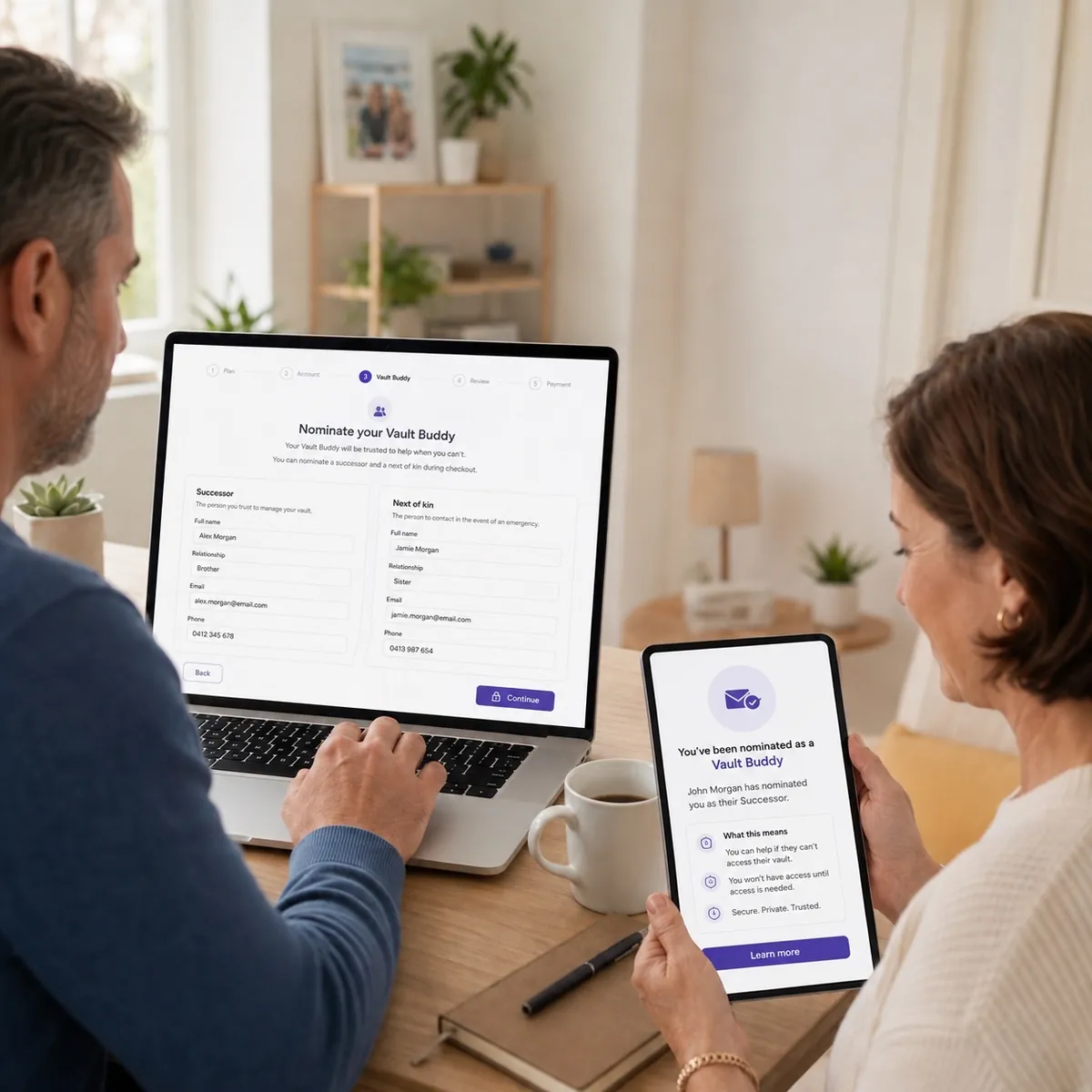 Vault BuddyNominate who should be able to reach your Vault. Released only on documentary evidence and verified identity.Explore Vault Buddy
 Vault SpareIf your Vault has a hardware failure, the spare is designed to keep your access running. Failed drives come back to you.Explore Vault Spare
Questions
It is the sharing capability inside Offline Secure Storage®. You create a time-boxed, password-protected link to a record held in your Vault, instead of sending a copy as an email attachment.
The record stays in your Vault as your copy of record. The recipient receives access through the link for as long as you allow it, and that access can be withdrawn.
No. Access depends on your Vault being reachable, so sharing is used for defined exchanges rather than as a permanent publishing service. Plan the exchange into your access window.
You set the window. Short windows are the sensible default for privileged and personal data, and links can be revoked before expiry at any time.
No, and it should not be. Share the password through a separate channel, such as a phone call, so a forwarded message alone cannot open the record.
Yes. Link activity is visible to you, and creation of the share is recorded in your Vault’s audit trail against the identity that made it.
For most exchanges, yes. A data room is a permanently reachable service. File Share gives a defined party a defined window against a record that otherwise sits physically disconnected.
Sharing is part of the Vault, Storage and Enterprise experience. LUV is a deep cold personal vault with one nominated access day each week, so sharing is planned into that window.
 Disconnect to Protect®
We will show you how sharing works against your own filing, and which product fits the volume and access pattern you need.